การแปลด้วย AI
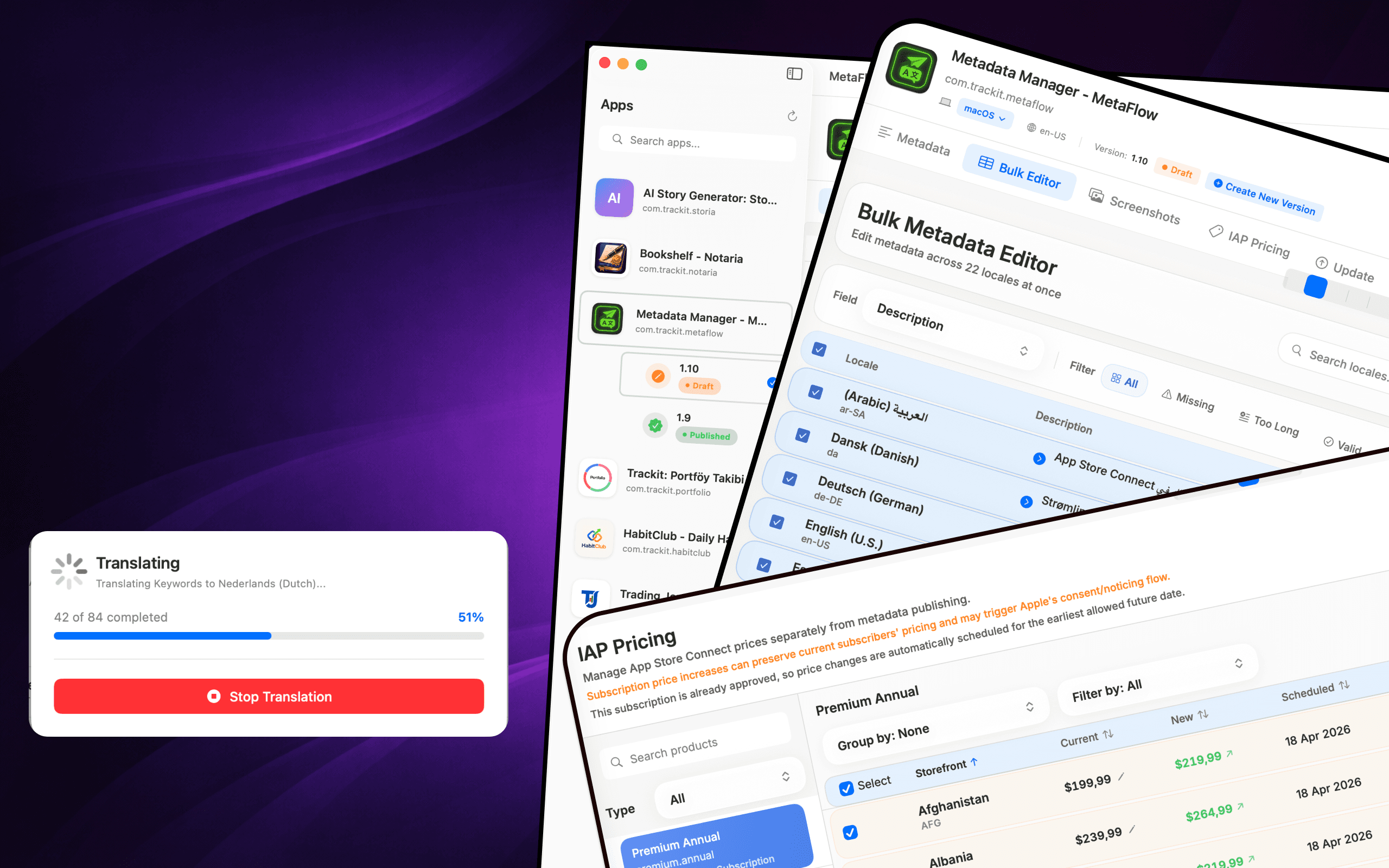
แปลข้อมูลเมตาเป็นภาษาต่างๆ กว่า 30 ภาษาด้วย OpenAI, Google Gemini หรือ DeepL
แปลเมตาดาต้า & อัปเดตแอป
MetaFlow คือผู้จัดการข้อมูลเมตาและภาพหน้าจอที่ขับเคลื่อนด้วย AI ทันสมัย สำหรับนักพัฒนาอิสระและผู้สร้างสรรค์ บอกลาแบบฟอร์มเว็บที่น่าเบื่อ และพบกับแอป Mac ดั้งเดิมที่รวดเร็ว ซึ่งช่วยประหยัดเวลาของคุณในการแปลและเผยแพร่แอป


Download
Metadata Translator & Updater
MetaFlow คือผู้จัดการข้อมูลเมตาและภาพหน้าจอที่ขับเคลื่อนด้วย AI ทันสมัย สำหรับนักพัฒนาอิสระและผู้สร้างสรรค์ บอกลาแบบฟอร์มเว็บที่น่าเบื่อ และพบกับแอป Mac ดั้งเดิมที่รวดเร็ว...
Screenshots
Translate metadata, bulk-edit locales, manage screenshots, and update pricing without the web forms.
How it works
MetaFlow turns App Store Connect localization into a four-step native workflow — connect, translate, manage screenshots, and publish.
Add your App Store Connect API key once and MetaFlow pulls in your apps, versions, and every locale. Credentials are stored in the macOS Keychain and stay on your Mac.
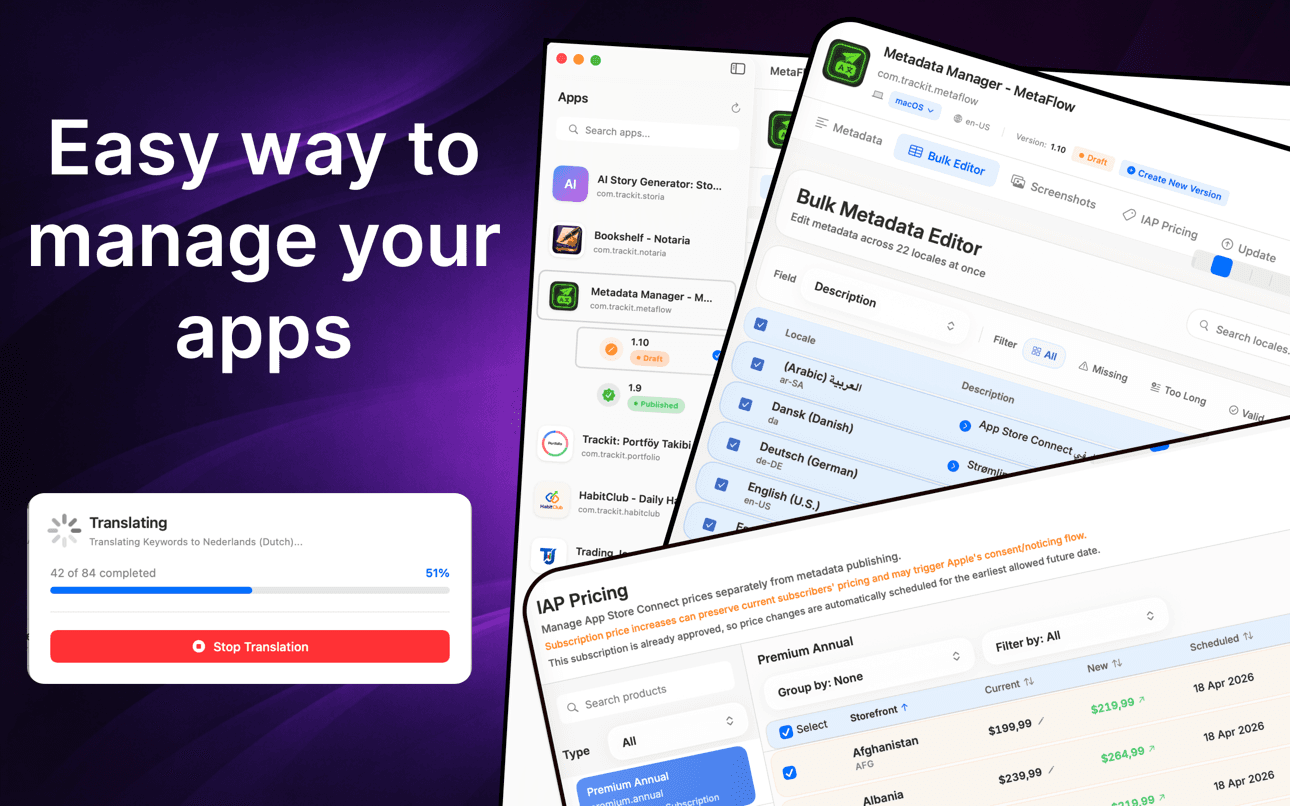
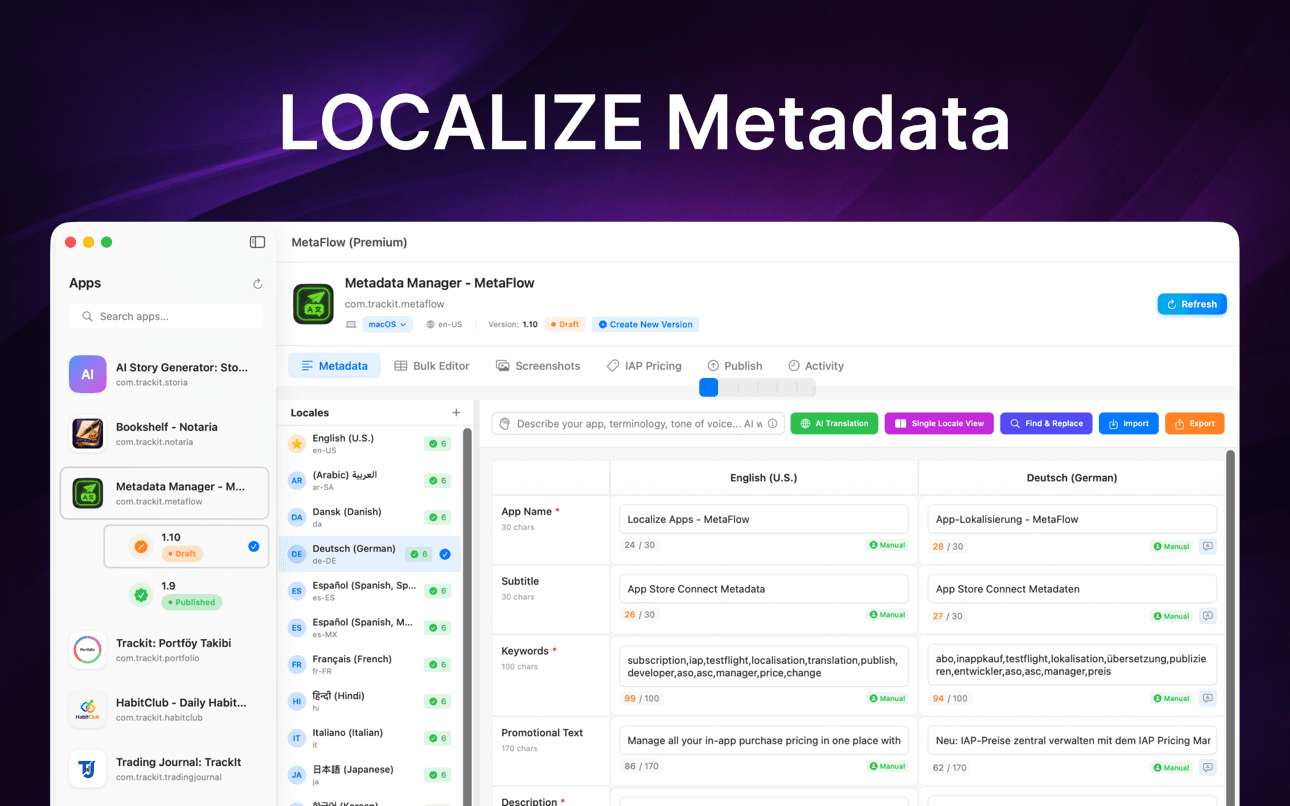
Edit names, subtitles, keywords, and descriptions natively, or translate them to 30+ languages with OpenAI, Google Gemini, or DeepL — with human-in-the-loop review before anything ships.
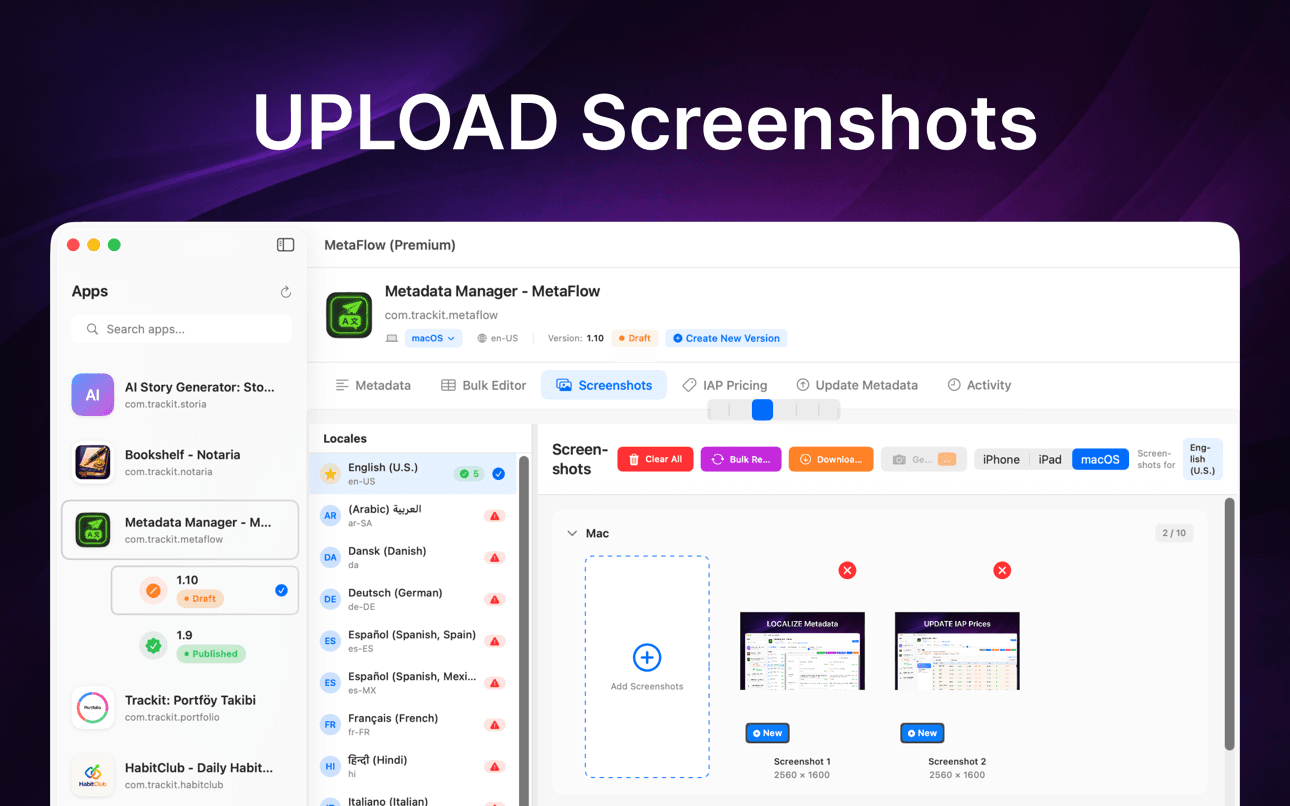
Drag and drop screenshots, auto-categorize by device group, apply Apple's inheritance rules, and download existing screenshots from every locale in one place.
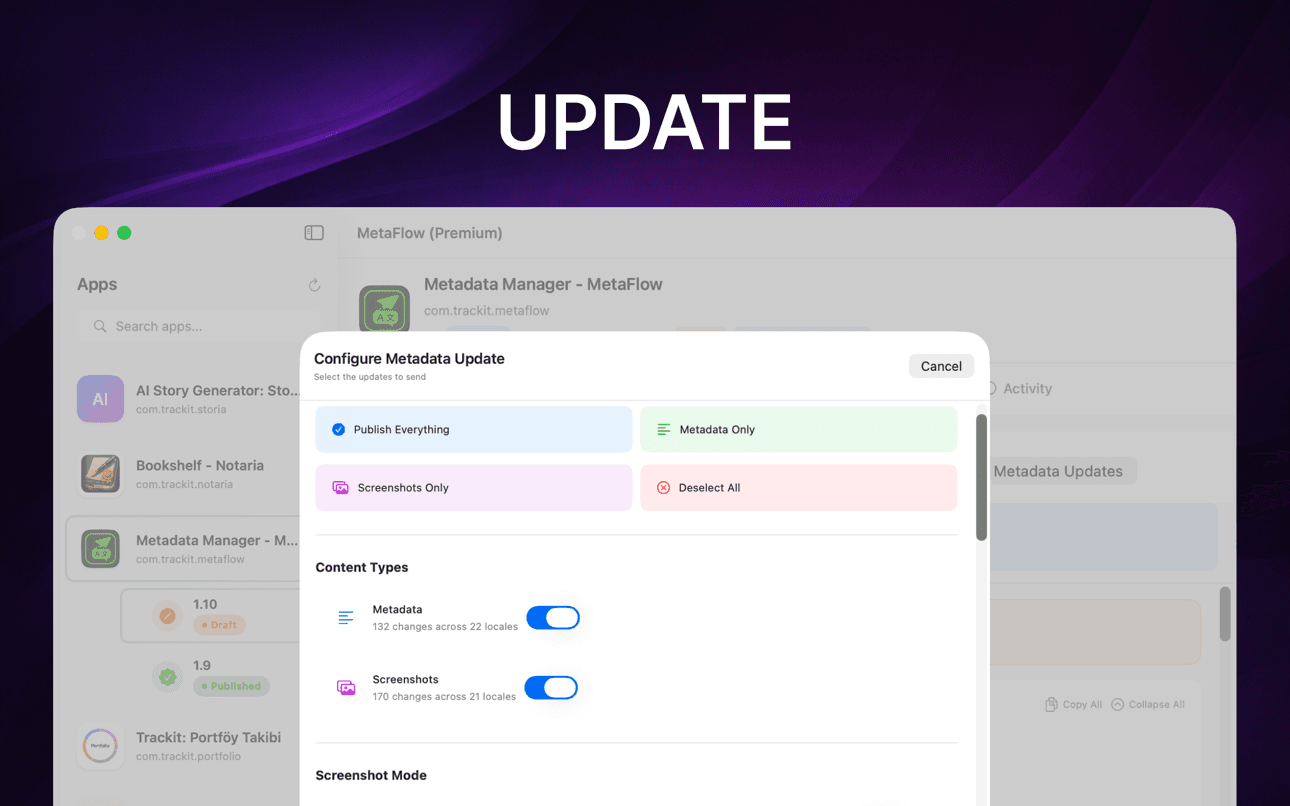
Run pre-flight validation and a dry-run preview, then publish metadata, screenshots, and pricing through the App Store Connect API with per-locale status tracking.
ช่วยเรื่องอะไรบ้าง
MetaFlow คือผู้จัดการข้อมูลเมตาและภาพหน้าจอที่ขับเคลื่อนด้วย AI ทันสมัย สำหรับนักพัฒนาอิสระและผู้สร้างสรรค์ บอกลาแบบฟอร์มเว็บที่น่าเบื่อ และพบกับแอป Mac ดั้งเดิมที่รวดเร็ว...
แปลข้อมูลเมตาเป็นภาษาต่างๆ กว่า 30 ภาษาด้วย OpenAI, Google Gemini หรือ DeepL
แก้ไขภาษาท้องถิ่นในตารางสไตล์สเปรดชีต พร้อมการดำเนินการแบบกลุ่มและการตรวจสอบความถูกต้อง
จัดการภาพหน้าจอ iPhone, iPad และ Mac ด้วยการจัดระเบียบแบบลากและวาง
ดูตัวอย่างการเปลี่ยนแปลง ตรวจสอบความถูต้องของข้อมูล และเผยแพร่ผ่าน App Store Connect APIs
ดำเนินการแปลภาษา ภาพหน้าจอ การตรวจสอบความถูกต้อง และการเผยแพร่ได้อย่างรวดเร็วในขั้นตอนการทำงานแบบเนทีฟบน Mac
ยังคงมีการตรวจสอบโดยมนุษย์ในขณะที่ AI จัดการงานแปลภาษาที่ซ้ำซาก
Guides
Practical, developer-focused walkthroughs for localizing, translating, and shipping App Store metadata.
Localize your App Store name, subtitle, description, and keywords the right way — fields, character limits, market picks, and a faster way to ship it.
Read guideHow to translate an App Store description with OpenAI, Gemini, or DeepL — context prompts, character limits, review workflow, and publishing to ASC.
Read guideStop uploading screenshots locale by locale. Apple's inheritance rules, Media Manager limits, and how to bulk-upload every language from your Mac.
Read guidefastlane deliver is powerful but high-maintenance. Compare GUI alternatives for App Store Connect metadata, screenshots, and publishing on macOS.
Read guideGenerate an App Store Connect API key in minutes: request access, pick the right role, download the .p8, find your Issuer ID, and keep it secure.
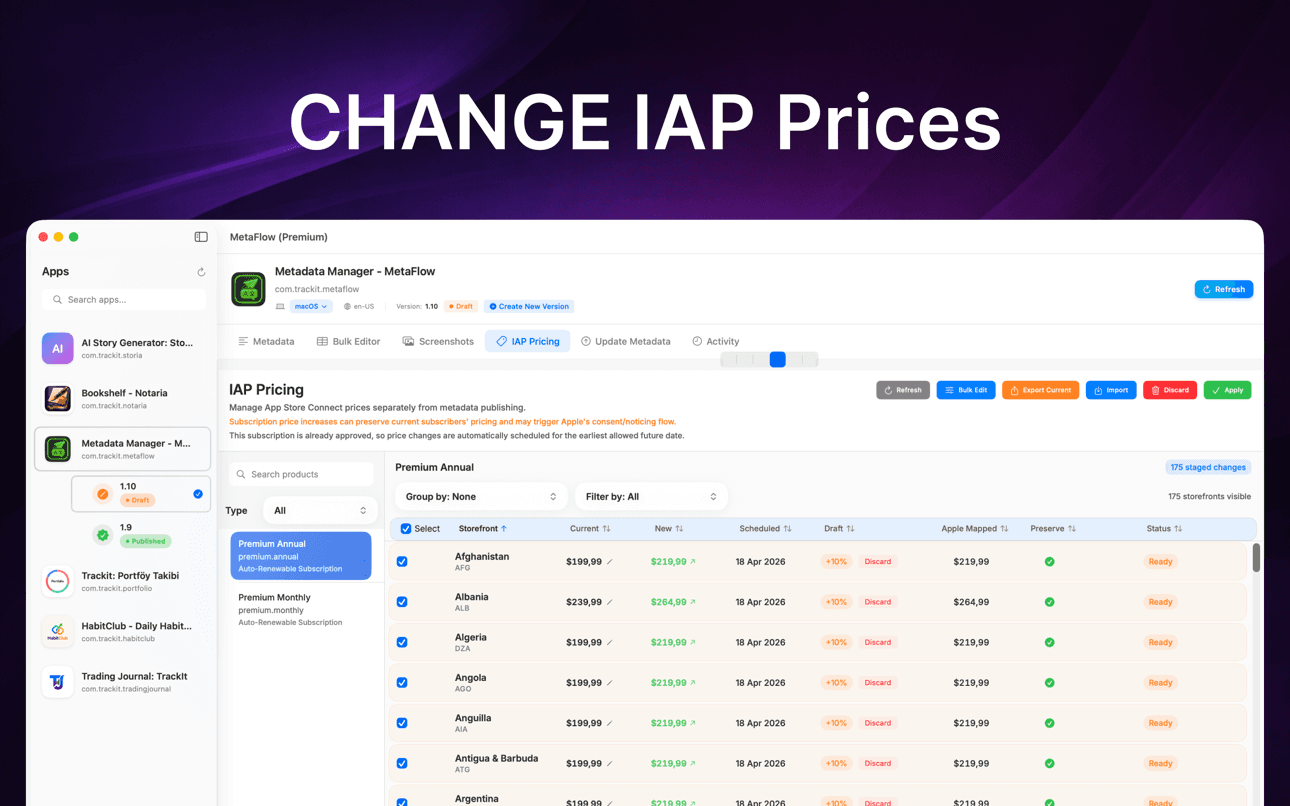
Read guideChange IAP and subscription prices in App Store Connect: price tiers, scheduled changes, preserving existing subscribers, and bulk regional updates.
Read guideทำไมถึงสำคัญ
MetaFlow สร้างขึ้นสำหรับทีมและนักพัฒนาอิสระที่จัดการภาษาท้องถิ่น ภาพหน้าจอ ราคา และการเผยแพร่จำนวนมาก
ข้อมูลเมตา ภาพหน้าจอ ข้อมูลรับรอง และคีย์ผู้ให้บริการของคุณจะยังคงอยู่ใน Mac ของคุณ เว้นแต่คุณจะเลือกเผยแพร่หรือแปลผ่านบริการที่เชื่อมต่อ
แปลเมตาดาต้า & อัปเดตแอป
MetaFlow คือผู้จัดการข้อมูลเมตาและภาพหน้าจอที่ขับเคลื่อนด้วย AI ทันสมัย สำหรับนักพัฒนาอิสระและผู้สร้างสรรค์ บอกลาแบบฟอร์มเว็บที่น่าเบื่อ และพบกับแอป Mac ดั้งเดิมที่รวดเร็ว ซึ่งช่วยประหยัดเวลาของคุณในการแปลและเผยแพร่แอป
แปลข้อมูลเมตาเป็นกว่า 30 ภาษาได้ในไม่กี่นาที เลือกใช้ OpenAI, Google Gemini หรือ DeepL เพิ่มคีย์ API ของคุณแล้วเริ่มใช้งานได้เลย การแปลที่เข้าใจบริบทจะช่วยให้เข้าใจแอปของคุณ ในขณะที่คุณยังคงควบคุมการทำงานด้วยเวิร์กโฟลว์แบบ human-in-the-loop
แก้ไขภาษาท้องถิ่นในมุมมองตารางแบบสเปรดชีต คัดลอกจากภาษาหลักไปยังภาษาใดก็ได้ กรองตามเนื้อหาที่ขาดหายไปหรือข้อจำกัดอักขระ และใช้การแก้ไขแบบอินไลน์พร้อมการตรวจสอบความถูกต้องแบบเรียลไทม์ ค้นหาและเลือกหลายภาษาเพื่อดำเนินการแบบกลุ่ม
รองรับอุปกรณ์ Apple: iPhone, iPad, Mac เพิ่มด้วยการลากและวาง จัดหมวดหมู่ตามกลุ่มอุปกรณ์โดยอัตโนมัติ ใช้ประโยชน์จากกฎการสืบทอดภาพหน้าจอของ Apple และดาวน์โหลดภาพหน้าจอที่มีอยู่จาก App Store Connect
FAQ
MetaFlow supports OpenAI, Google Gemini, and DeepL. You pick the provider per project, and context-aware prompts give the model your app's terminology and tone so translations read naturally rather than literally.
Yes. MetaFlow uses a bring-your-own-key model: you add your own OpenAI, Gemini, or DeepL API key, and translations run through your account. That keeps you in control of cost and usage, and AI translation is optional — you can edit and publish metadata without ever adding a key.
Your App Store Connect API key and provider keys are stored in the macOS Keychain and never leave your Mac. MetaFlow is local-first with no cloud sync, so your credentials and metadata stay on your machine unless you choose to publish or translate.
MetaFlow edits the localized fields App Store Connect exposes — app name, subtitle, keywords, promotional text, description, and release notes — with live character counters and validation for each field so you never exceed Apple's limits.
Yes. You can drag and drop screenshots per device and locale using Apple's inheritance rules, and update in-app purchase and subscription prices in bulk by percentage, tier, or manual value — including scheduled changes and preserving prices for existing subscribers.
MetaFlow is free to download from the Mac App Store. It requires macOS 14.0 or later and an App Store Connect account with API access. AI translation providers bill through your own API key.
MetaFlow runs pre-flight validation and a dry-run preview that shows exactly what will change, then publishes through the App Store Connect API with detailed, per-locale status tracking. Version-aware editing handles Draft and Published states so you always know what is going live.
เริ่มต้นใช้งาน
MetaFlow คือผู้จัดการข้อมูลเมตาและภาพหน้าจอที่ขับเคลื่อนด้วย AI ทันสมัย สำหรับนักพัฒนาอิสระและผู้สร้างสรรค์ บอกลาแบบฟอร์มเว็บที่น่าเบื่อ และพบกับแอป Mac ดั้งเดิมที่รวดเร็ว...