AI 驅動翻譯
使用 OpenAI、Google Gemini 或 DeepL 將中繼資料翻譯成 30 多種語。
元數據翻譯與優化
MetaFlow 是一款專為獨立開發者和有品味程式設計師打造的現代化 AI 驅動元數據與截圖管理器。告別繁瑣的網頁表單,迎接這款快速、原生的 Mac 應用程式,它能為您節省數小時的應用程式本地化與發布時間。

下載
Metadata Translator & Updater
MetaFlow 是一款專為獨立開發者和有品味程式設計師打造的現代化 AI 驅動元數據與截圖管理器。告別繁瑣的網頁表單,迎接這款快速、原生的 Mac 應用程式,它能為您節省數小時的應用程式本地化與發布時間。
螢幕截圖
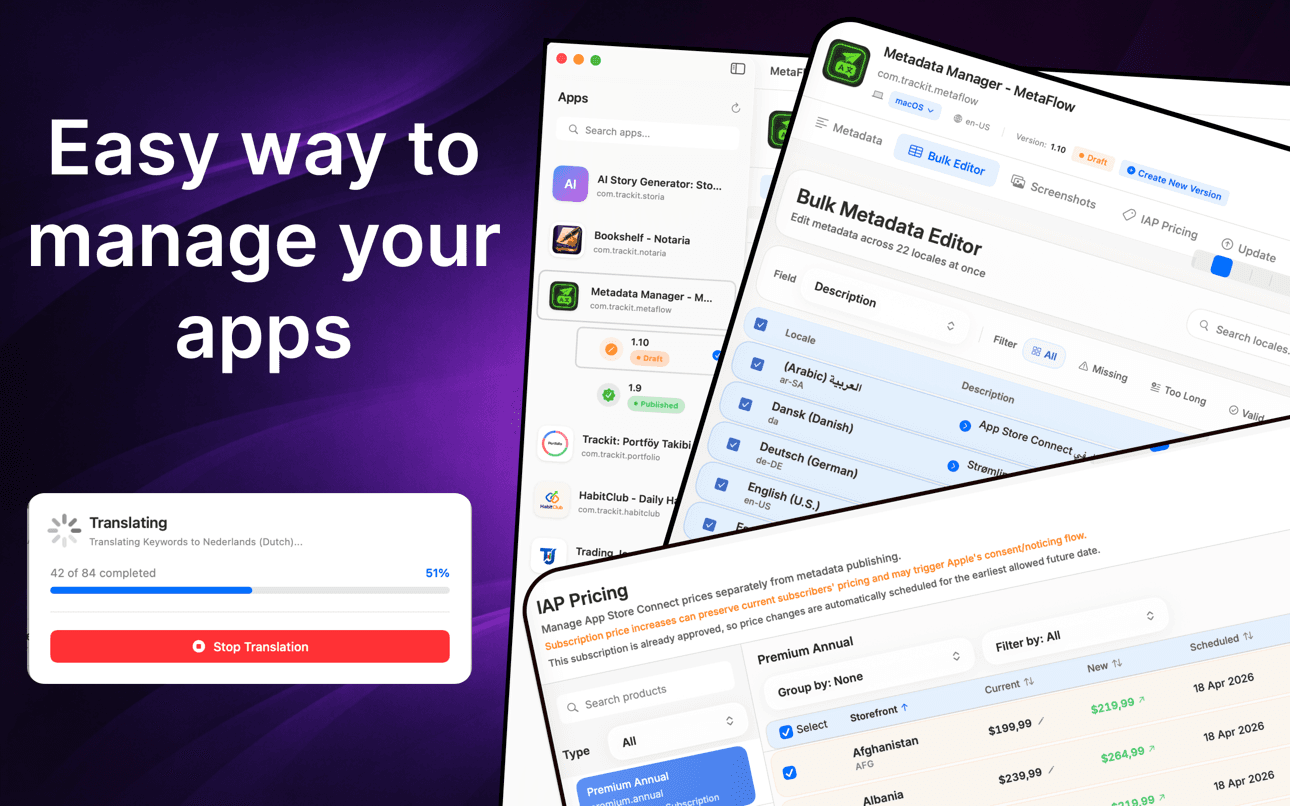
翻譯中繼資料、批次編輯語言、管理螢幕截圖並更新價格,無需使用網頁表單。
運作方式
MetaFlow 將 App Store Connect 的在地化變成連接、翻譯、管理截圖、發布這四步的原生工作流程。
只要新增一次 App Store Connect API 金鑰,MetaFlow 就會擷取你的 App、版本以及所有語言。憑證儲存在 macOS 鑰匙圈中,始終留在你的 Mac 上。
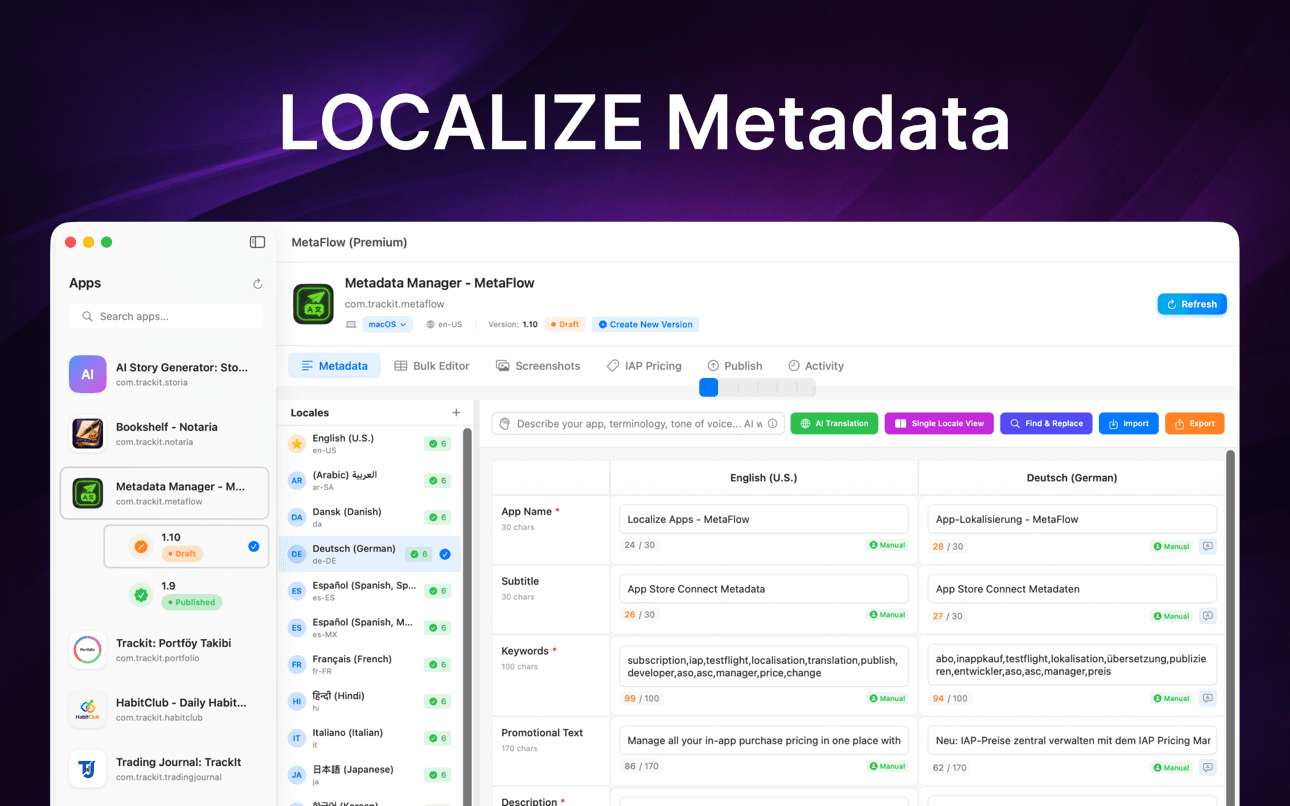
以原生方式編輯名稱、副標題、關鍵字和描述,或使用 OpenAI、Google Gemini 或 DeepL 將它們翻譯成 30 多種語言——在任何內容上線前都有人工審核。
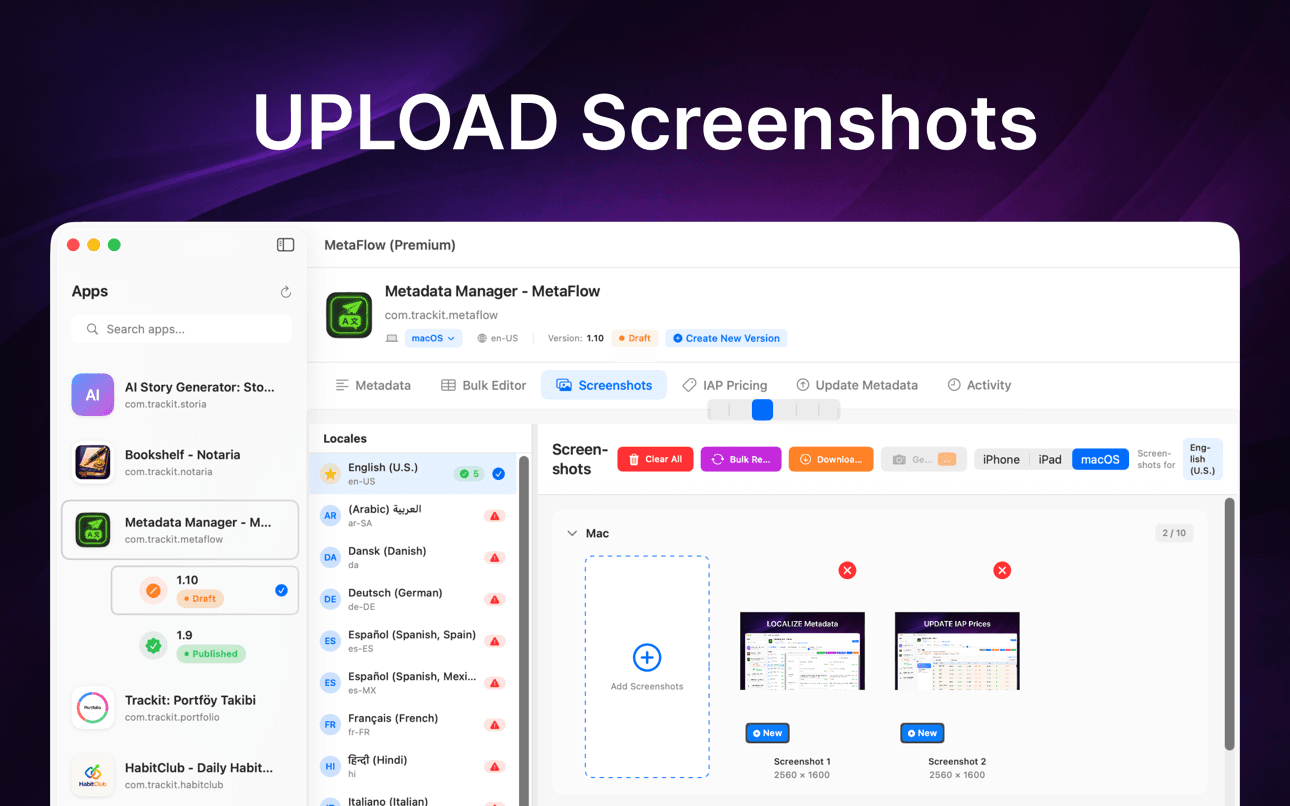
拖放截圖、依裝置群組自動歸類、套用 Apple 的繼承規則,並在同一個地方下載所有語言的現有截圖。
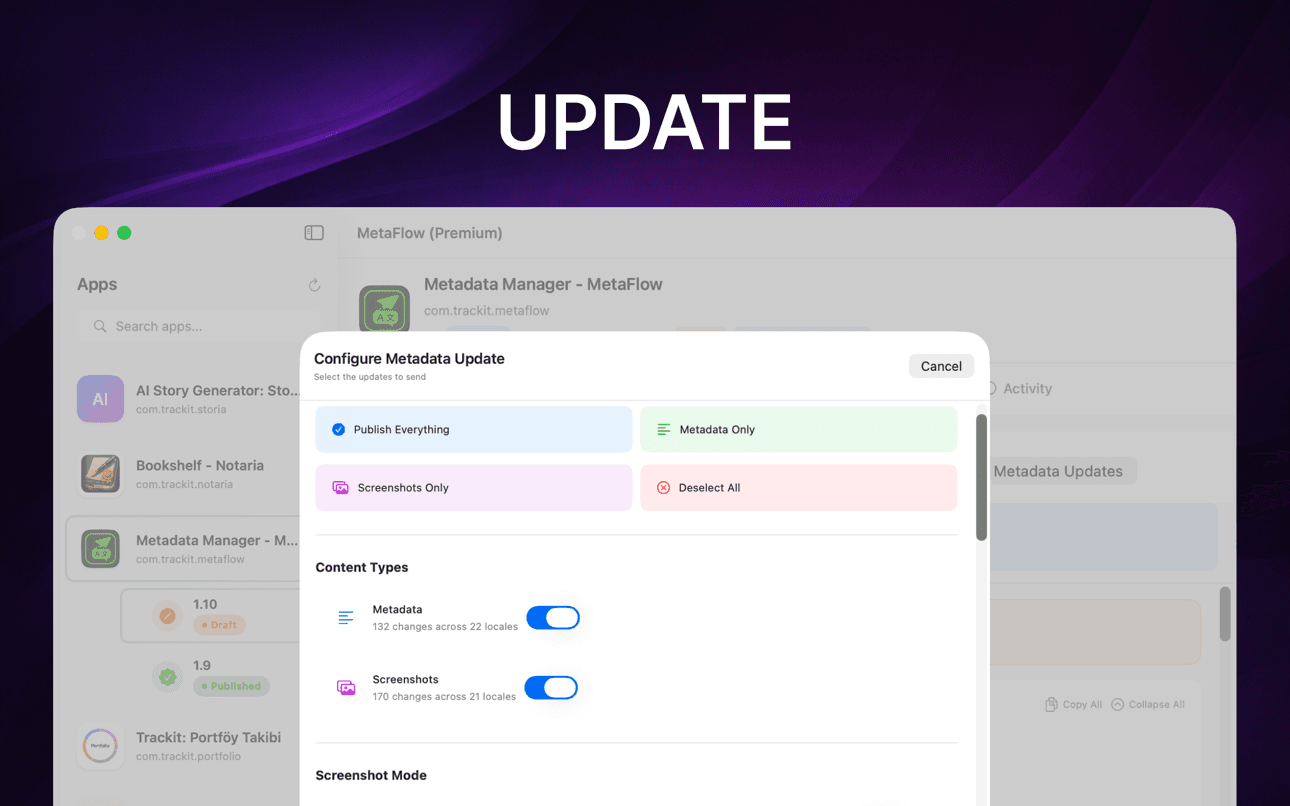
先執行預檢驗證和試執行預覽,再透過 App Store Connect API 發布 metadata、截圖和價格,並依語言追蹤狀態。
它能提供什麼幫助
MetaFlow 是一款專為獨立開發者和有品味程式設計師打造的現代化 AI 驅動元數據與截圖管理器。告別繁瑣的網頁表單,迎接這款快速、原生的 Mac 應用程式,它能為您節省數小時的應用程式本地化與發布時間。
使用 OpenAI、Google Gemini 或 DeepL 將中繼資料翻譯成 30 多種語。
以試算表樣式表格編輯地區設定,支援批次操作與驗證。
透過拖放組織方式處理 iPhone、iPad 和 Mac 螢幕截圖。
預覽變更、驗證欄位,並透過 App Store Connect API 發佈。
在專注的 Mac 原生工作流程中,快速完成本地化、螢幕截圖、驗證和發佈。
在 AI 處理重複的本地化工作時,仍保留人工審核環節。
指南
以開發者為中心的實用教學,協助你在地化、翻譯並發佈 App Store 中繼資料。
Localize your App Store name, subtitle, description, and keywords the right way — fields, character limits, market picks, and a faster way to ship it.
閱讀指南How to translate an App Store description with OpenAI, Gemini, or DeepL — context prompts, character limits, review workflow, and publishing to ASC.
閱讀指南Stop uploading screenshots locale by locale. Apple's inheritance rules, Media Manager limits, and how to bulk-upload every language from your Mac.
閱讀指南fastlane deliver is powerful but high-maintenance. Compare GUI alternatives for App Store Connect metadata, screenshots, and publishing on macOS.
閱讀指南Generate an App Store Connect API key in minutes: request access, pick the right role, download the .p8, find your Issuer ID, and keep it secure.
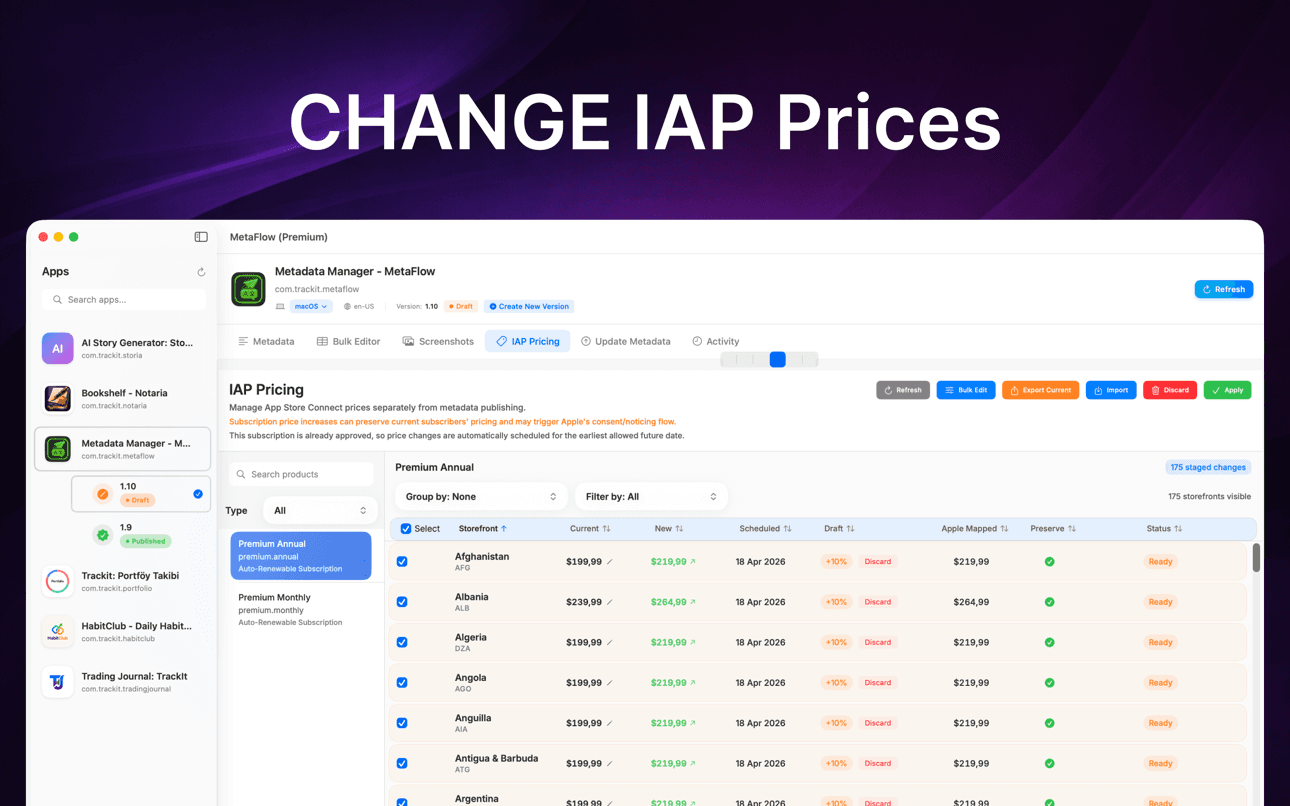
閱讀指南Change IAP and subscription prices in App Store Connect: price tiers, scheduled changes, preserving existing subscribers, and bulk regional updates.
閱讀指南為何重要
MetaFlow 專為管理多個地區設定、螢幕截圖、價格和發佈的團隊與獨立開發者而設計。
您的中繼資料、螢幕截圖、憑證和供應商金鑰將保留在您的 Mac 上,除非您選擇透過連接服務發佈或翻譯。
元數據翻譯與優化
MetaFlow 是一款專為獨立開發者和有品味程式設計師打造的現代化 AI 驅動元數據與截圖管理器。告別繁瑣的網頁表單,迎接這款快速、原生的 Mac 應用程式,它能為您節省數小時的應用程式本地化與發布時間。
在數分鐘內將元數據翻譯成 30 多種語言。可選擇 OpenAI、Google Gemini 或 DeepL。添加您的 API 金鑰即可啟動。上下文感知翻譯能理解您的應用程式,同時透過人機協作工作流程讓您保持掌控。
支援 Apple 裝置:iPhone、iPad、Mac。拖放添加,按裝置群組自動分類,利用 Apple 的截圖繼承規則,並從 App Store Connect 下載現有截圖。
以您的方式更新應用內購買和訂閱價格。按百分比更改價格,選擇新的層級,或手動輸入值以進行精確控制。在需要時為現有訂閱者保留當前價格,並安排稍後更改價格,以配合您的發布、促銷或區域定價策略。
常見問題
MetaFlow 支援 OpenAI、Google Gemini 和 DeepL。你可以依專案選擇供應商,具情境感知的提示會把你 App 的術語和語氣傳達給模型,讓翻譯讀起來自然,而非生硬直譯。
是的。MetaFlow 採用自備金鑰(BYOK)模式:你新增自己的 OpenAI、Gemini 或 DeepL API 金鑰,翻譯會透過你的帳戶執行。如此一來你能自行掌控成本與用量,而且 AI 翻譯是選用的——即使不新增任何金鑰,你也可以編輯並發布 metadata。
你的 App Store Connect API 金鑰和供應商金鑰儲存在 macOS 鑰匙圈中,絕不會離開你的 Mac。MetaFlow 採用本機優先、無雲端同步——並不存在 MetaFlow 伺服器,除非你選擇發布或翻譯,否則你的憑證和 metadata 都留在本機。MetaFlow 會傳送產品分析資料(App 版本、功能使用情形以及依 IP 推得的大致位置)以協助改善 App;你的 metadata、截圖和金鑰絕不會包含在內。
MetaFlow 會編輯 App Store Connect 提供的在地化欄位——App 名稱、副標題、關鍵字、宣傳文字、描述和版本資訊——每個欄位都附有即時字數計數與驗證,讓你絕不會超過 Apple 的限制。
可以。你能依裝置和語言使用 Apple 的繼承規則拖放截圖,並依百分比、價格級距或手動數值批次更新 App 內購買和訂閱的價格——包括排定的變更以及為現有訂閱者保留價格。
MetaFlow 可從 Mac App Store 免費下載,免費方案即可用完整功能管理你的第一個 App——編輯、AI 翻譯、截圖和發布。MetaFlow Premium 是一項 App 內訂閱,可解鎖無限數量的 App。它需要 macOS 14.0 或更新版本,以及一個開通 API 存取的 App Store Connect 帳戶。AI 翻譯服務供應商會透過你自己的 API 金鑰計費。
MetaFlow 會執行預檢驗證和試執行預覽,準確顯示將要發生的變更,接著透過 App Store Connect API 發布,並提供依語言的詳細狀態追蹤。具版本感知的編輯會處理草稿和已發布狀態,讓你始終清楚哪些內容即將上線。