AIによる翻訳
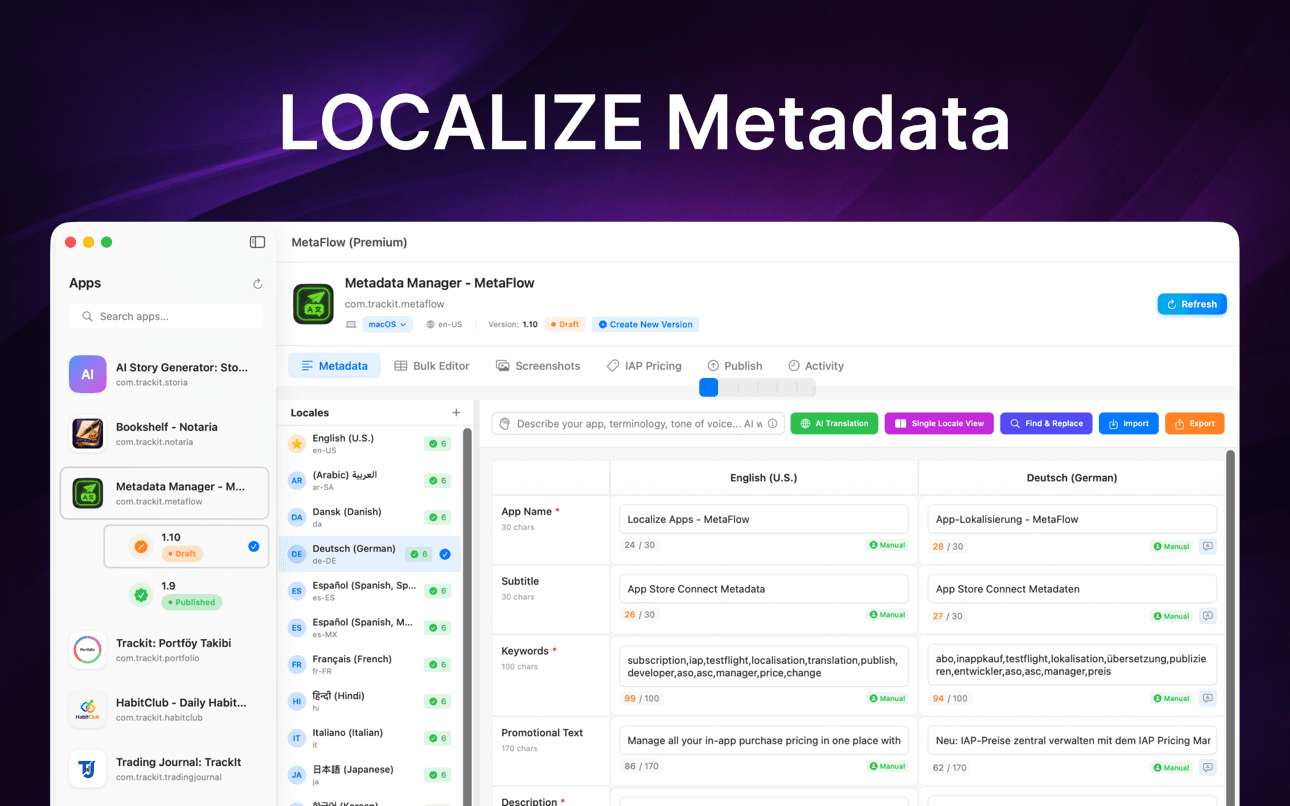
OpenAI、Google Gemini、DeepLを使用して、メタデータを30以上の言語に翻訳します。
メタデータ翻訳・更新
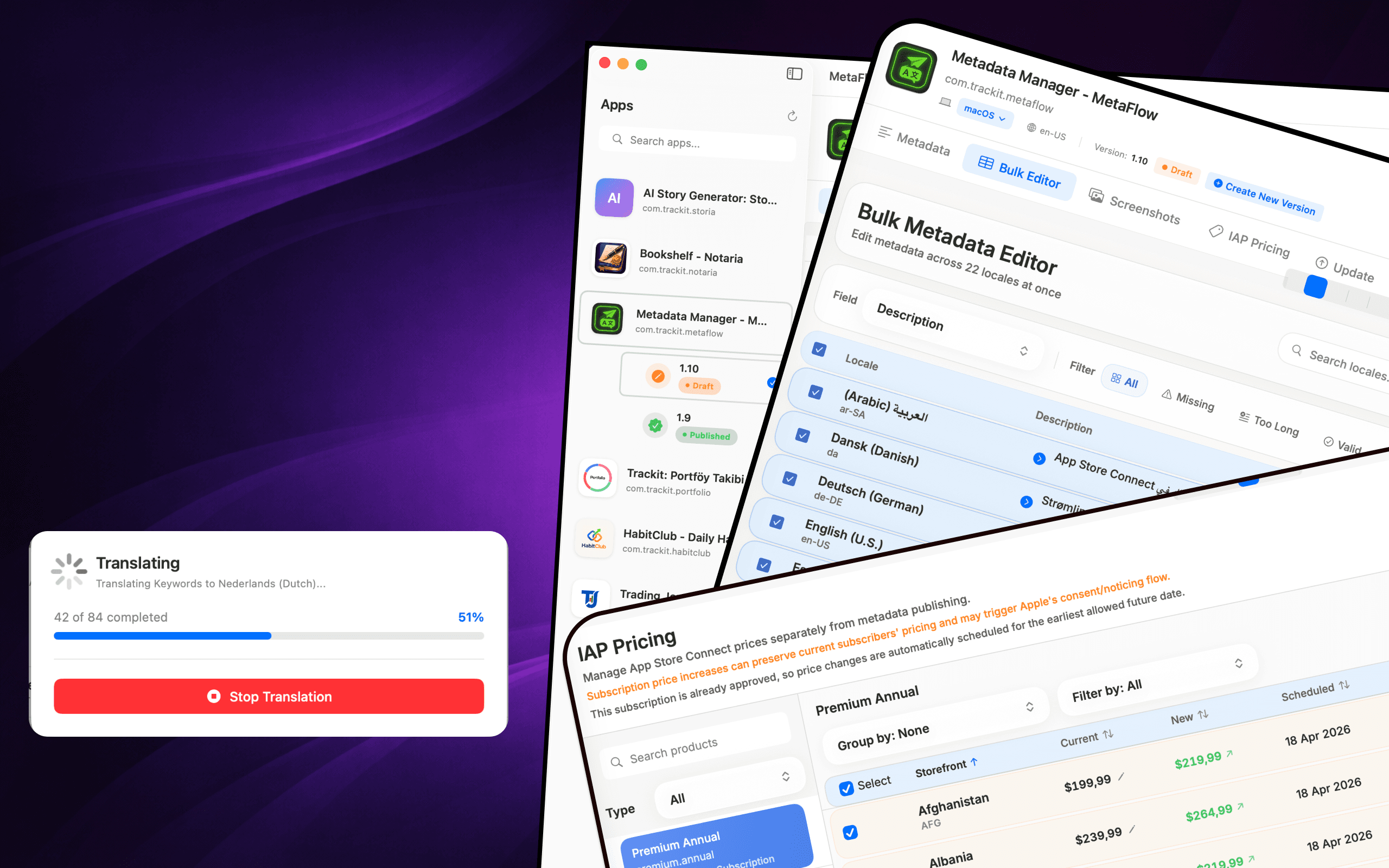
MetaFlowは、インディー開発者や「vibe coder」のための、モダンでAIを搭載したメタデータ&スクリーンショット管理ツールです。煩わしいウェブフォームに別れを告げ、アプリのローカライズと公開にかかる時間を大幅に節約する、高速なネイティブMacアプリを体験してください。

ダウンロード
Metadata Translator & Updater
MetaFlowは、インディー開発者や「vibe coder」のための、モダンでAIを搭載したメタデータ&スクリーンショット管理ツールです。煩わしいウェブフォームに別れを告げ、アプリのローカライズと公開にかかる時間を大幅に節約する、高速なネイティブMacアプリを体験してください。
スクリーンショット
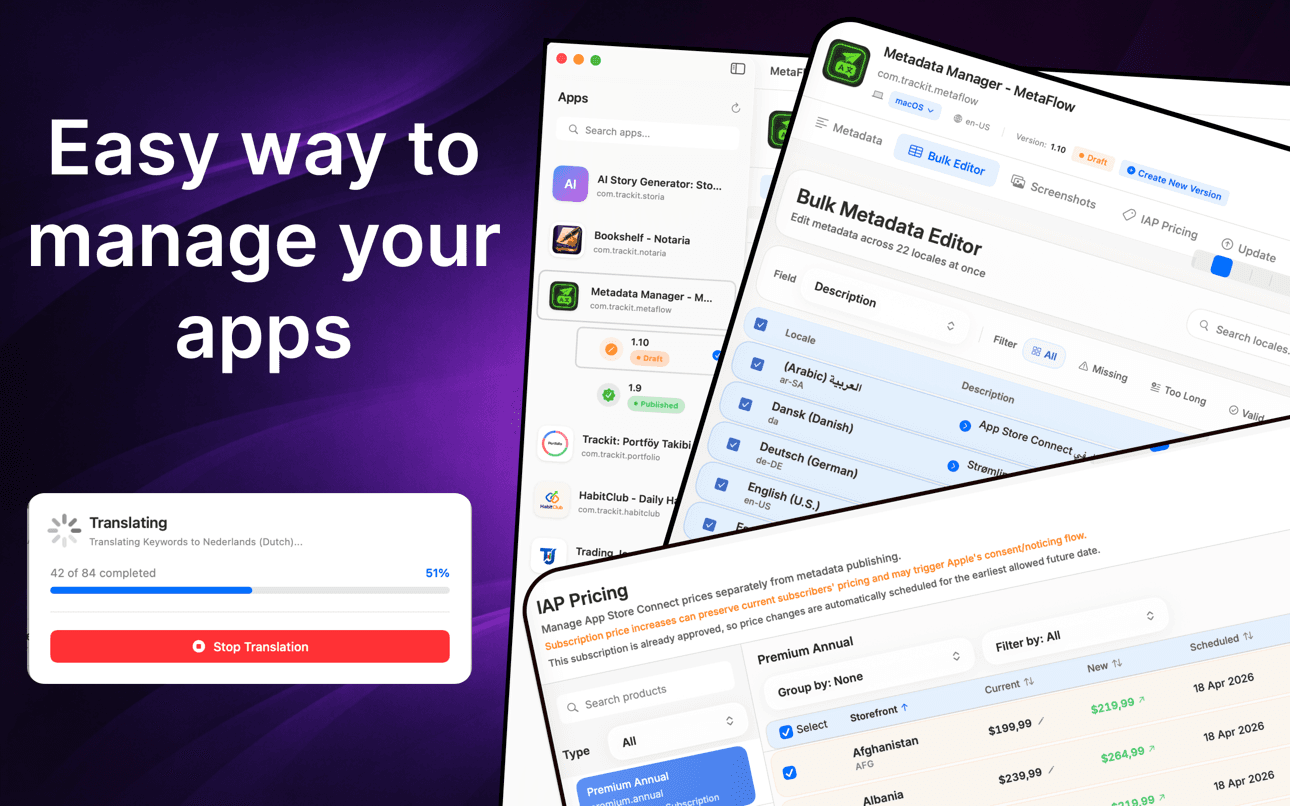
メタデータを翻訳し、複数の言語を一括編集し、スクリーンショットを管理し、Web フォームを使わずに価格を更新できます。
使い方
MetaFlow は App Store Connect のローカライズを、接続・翻訳・スクリーンショット管理・公開という 4 ステップのネイティブなワークフローに変えます。
App Store Connect API キーを一度追加するだけで、MetaFlow がアプリ、バージョン、すべてのロケールを取り込みます。認証情報は macOS キーチェーンに保存され、あなたの Mac から外に出ることはありません。
名前、サブタイトル、キーワード、説明をネイティブに編集したり、OpenAI、Google Gemini、DeepL で 30 以上の言語に翻訳したりできます。公開前には必ず人によるレビューが入ります。
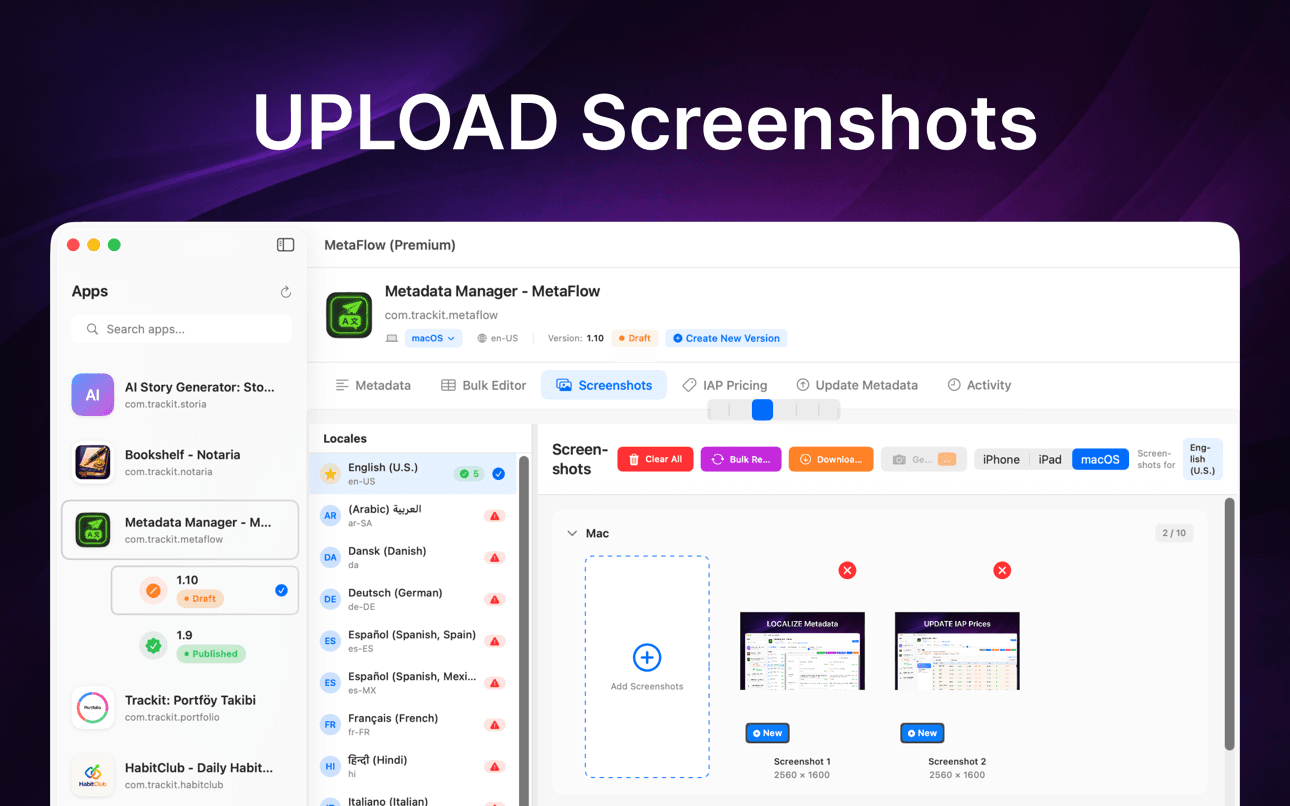
スクリーンショットをドラッグ&ドロップし、デバイスグループごとに自動分類し、Apple の継承ルールを適用し、すべてのロケールの既存スクリーンショットを一か所でダウンロードできます。
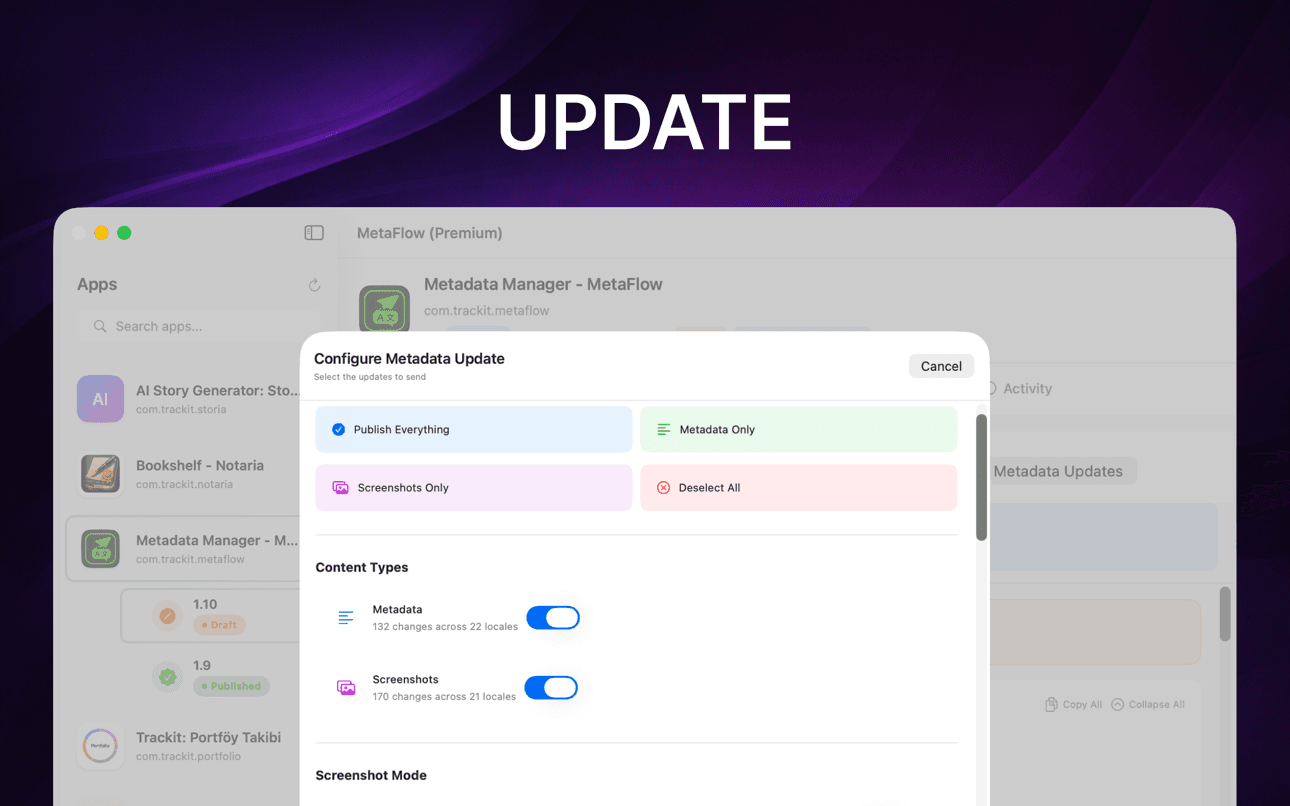
事前検証とドライラン(試験実行)のプレビューを行ってから、App Store Connect API を通じて metadata、スクリーンショット、価格をロケールごとのステータス追跡付きで公開します。
できること
MetaFlowは、インディー開発者や「vibe coder」のための、モダンでAIを搭載したメタデータ&スクリーンショット管理ツールです。煩わしいウェブフォームに別れを告げ、アプリのローカライズと公開にかかる時間を大幅に節約する、高速なネイティブMacアプリを体験してください。
OpenAI、Google Gemini、DeepLを使用して、メタデータを30以上の言語に翻訳します。
スプレッドシート形式のテーブルで、一括操作と検証を行いながらロケールを編集します。
iPhone、iPad、Macのスクリーンショットをドラッグ&ドロップで整理・管理します。
変更をプレビューし、フィールドを検証し、App Store Connect APIを通じて公開します。
ローカライズ、スクリーンショット、検証、公開まで、Macネイティブの集中型ワークフローでスムーズに進めます。
AIが繰り返し発生するローカライズ作業を処理する間も、人間のレビューを挟むことができます。
ガイド
App Store のメタデータをローカライズ、翻訳、公開するための実践的で開発者向けの解説。
Localize your App Store name, subtitle, description, and keywords the right way — fields, character limits, market picks, and a faster way to ship it.
ガイドを読むHow to translate an App Store description with OpenAI, Gemini, or DeepL — context prompts, character limits, review workflow, and publishing to ASC.
ガイドを読むStop uploading screenshots locale by locale. Apple's inheritance rules, Media Manager limits, and how to bulk-upload every language from your Mac.
ガイドを読むfastlane deliver is powerful but high-maintenance. Compare GUI alternatives for App Store Connect metadata, screenshots, and publishing on macOS.
ガイドを読むGenerate an App Store Connect API key in minutes: request access, pick the right role, download the .p8, find your Issuer ID, and keep it secure.
ガイドを読むChange IAP and subscription prices in App Store Connect: price tiers, scheduled changes, preserving existing subscribers, and bulk regional updates.
ガイドを読むMetaFlowが選ばれる理由
MetaFlowは、多数のロケール、スクリーンショット、価格、リリースを管理するチーやインディー開発者向けに作られています。
メタデータ、スクリーンショット、認証情報、プロバイダーキーは、接続されたサービスを通じて公開または翻訳を選択しない限り、Mac上に保持されます。
メタデータ翻訳・更新
MetaFlowは、インディー開発者や「vibe coder」のための、モダンでAIを搭載したメタデータ&スクリーンショット管理ツールです。煩わしいウェブフォームに別れを告げ、アプリのローカライズと公開にかかる時間を大幅に節約する、高速なネイティブMacアプリを体験してください。
メタデータを30以上の言語に数分で翻訳。OpenAI、Google Gemini、DeepLから選択できます。APIキーを追加するだけで利用開始。コンテキストを理解した翻訳があなたのアプリに最適化され、ヒューマン・イン・ザ・ループのワークフローで常にあなたがコントロールできます。
スプレッドシート形式のテーブルビューでロケールを編集。プライマリロケールから任意の言語へコピーしたり、不足しているコンテンツや文字数制限でフィルタリングしたり、リアルタイム検証付きのインライン編集が可能です。複数のロケールを検索・選択して一括操作を実行できます。
Appleデバイス(iPhone、iPad、Mac)に対応。ドラッグ&ドロップで追加、デバイスグループ別に自動分類、Appleのスクリーンショット継承ルールを活用し、App Store Connectから既存のスクリーンショットをダウンロードできます。
よくある質問
MetaFlow は OpenAI、Google Gemini、DeepL に対応しています。プロバイダはプロジェクトごとに選択でき、コンテキストを踏まえたプロンプトがアプリの用語やトーンをモデルに伝えるため、翻訳は逐語的ではなく自然に読めます。
はい。MetaFlow は「自分のキーを持ち込む」方式を採用しています。ご自身の OpenAI、Gemini、DeepL の API キーを追加すると、翻訳はあなたのアカウントを通じて実行されます。これによりコストと利用状況を自分で管理でき、AI 翻訳は任意です。キーを一切追加しなくても metadata の編集と公開は可能です。
App Store Connect API キーとプロバイダのキーは macOS キーチェーンに保存され、あなたの Mac から外に出ることはありません。MetaFlow はクラウド同期のないローカルファーストのアプリで、MetaFlow サーバーは存在せず、公開や翻訳を選ばない限り認証情報や metadata はあなたのマシン内にとどまります。MetaFlow はアプリ改善のためにプロダクト分析(アプリのバージョン、機能の利用状況、IP からのおおよその位置情報)を送信しますが、metadata、スクリーンショット、キーが含まれることは一切ありません。
MetaFlow は App Store Connect が公開しているローカライズ項目、つまりアプリ名、サブタイトル、キーワード、プロモーションテキスト、説明、リリースノートを編集できます。各項目にリアルタイムの文字数カウンターと検証が付いているため、Apple の上限を超えることはありません。
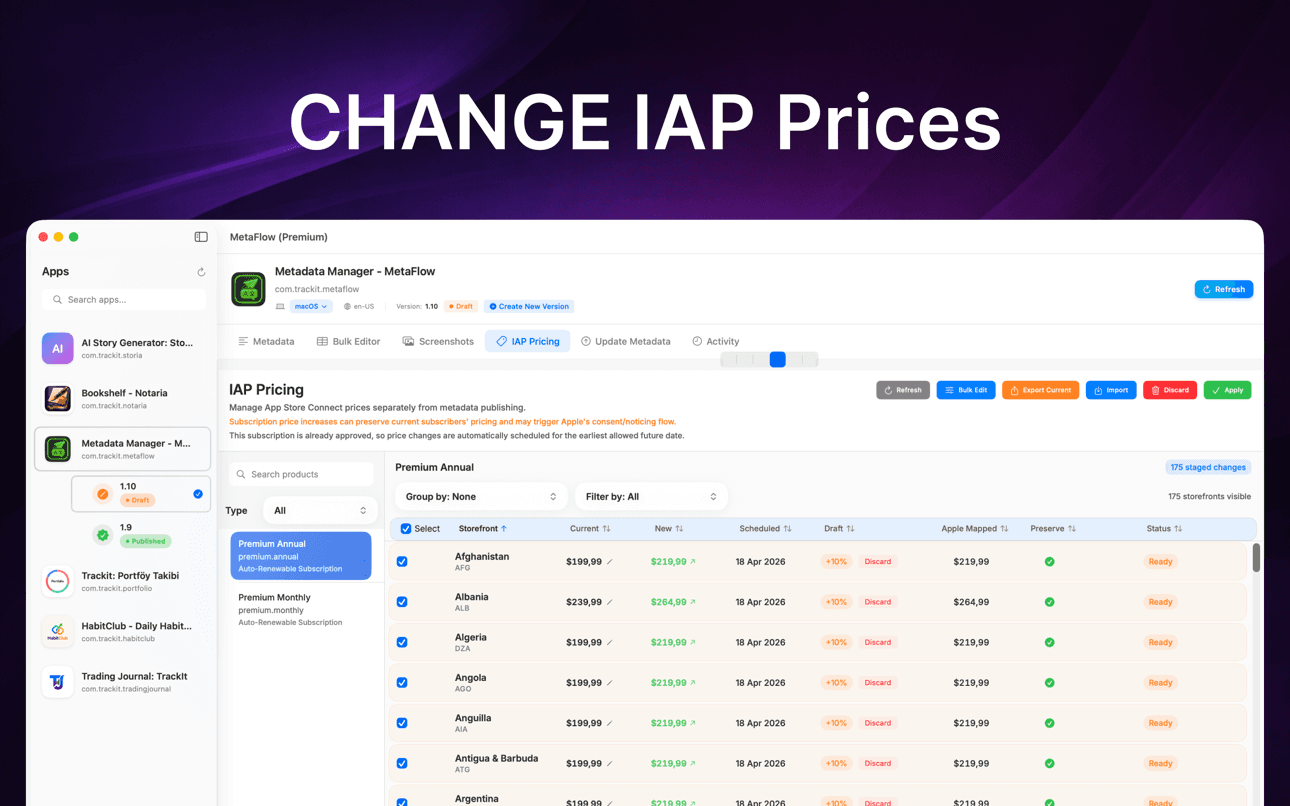
はい。Apple の継承ルールに従ってデバイスとロケールごとにスクリーンショットをドラッグ&ドロップでき、アプリ内課金やサブスクリプションの価格をパーセンテージ、ティア、手動入力の値で一括更新できます。予定された変更や既存サブスクライバーの価格維持にも対応しています。
MetaFlow は Mac App Store から無料でダウンロードでき、無料プランでは編集、AI 翻訳、スクリーンショット、公開といったすべての機能を使って最初のアプリを管理できます。MetaFlow Premium はアプリ内サブスクリプションで、アプリ数の上限を解除します。macOS 14.0 以降と、API アクセスを有効にした App Store Connect アカウントが必要です。AI 翻訳プロバイダの料金はご自身の API キーを通じて請求されます。
MetaFlow は事前検証と、何が変わるかを正確に示すドライランのプレビューを実行してから、App Store Connect API を通じてロケールごとの詳細なステータス追跡付きで公開します。バージョンを認識した編集が下書きと公開済みの状態を扱うため、何が公開されるかを常に把握できます。
今すぐ始める
MetaFlowは、インディー開発者や「vibe coder」のための、モダンでAIを搭載したメタデータ&スクリーンショット管理ツールです。煩わしいウェブフォームに別れを告げ、アプリのローカライズと公開にかかる時間を大幅に節約する、高速なネイティブMacアプリを体験してください。