KI-gestützte Übersetzung
Übersetzen Sie Metadaten in über 30 Sprachen mit OpenAI, Google Gemini oder DeepL.
Metadaten Übersetzer & Updater
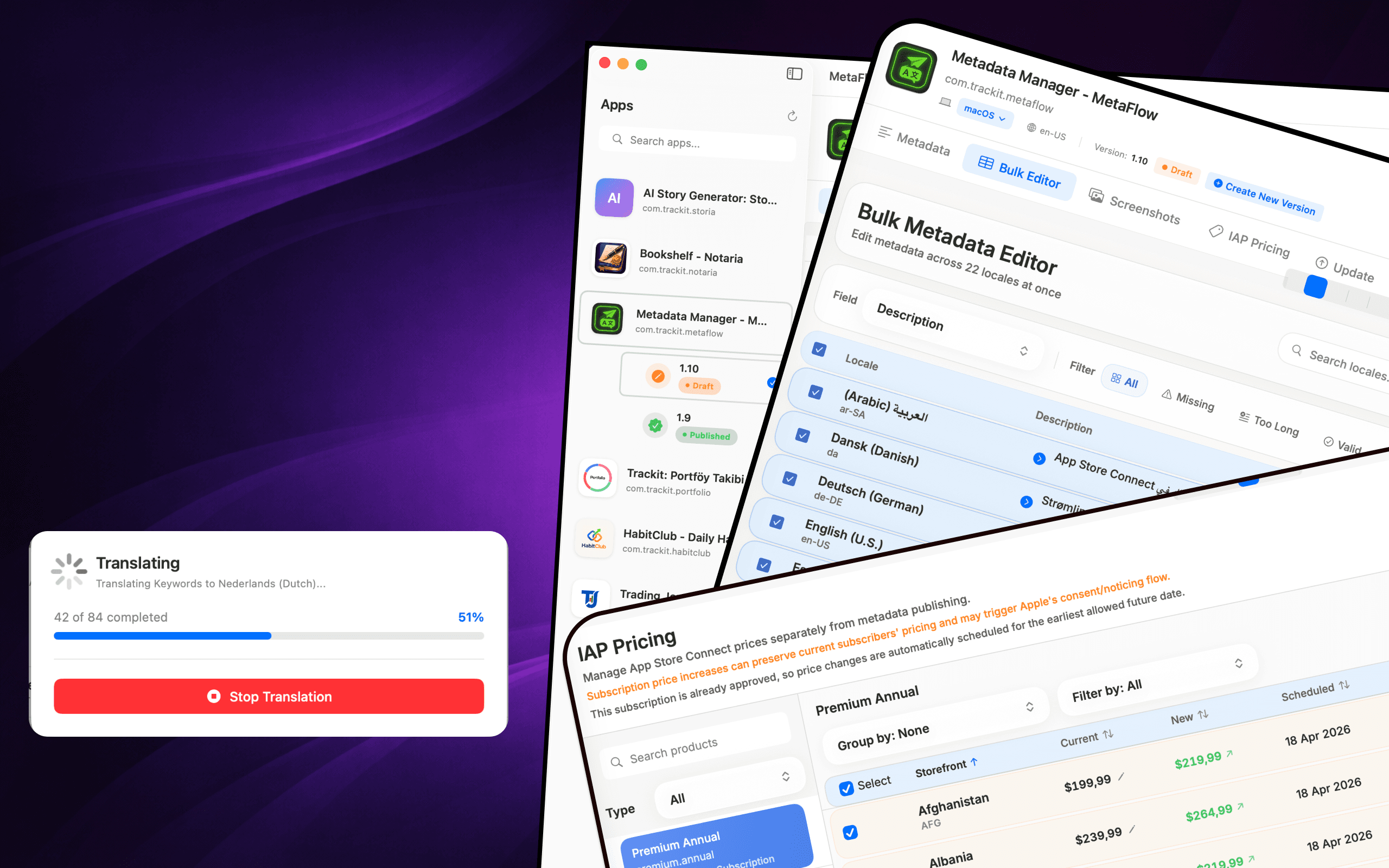
MetaFlow ist der moderne, KI-gestützte Metadaten- und Screenshot-Manager für Indie-Entwickler und Vibe-Coder. Verabschieden Sie sich von mühsamen Webformularen und begrüßen Sie eine schnelle, native Mac-App, die Ihnen Stunden bei der App-Lokalisierung und -Veröffentlichung erspart.

Download
Metadata Translator & Updater
MetaFlow ist der moderne, KI-gestützte Metadaten- und Screenshot-Manager für Indie-Entwickler und Vibe-Coder.
Screenshots
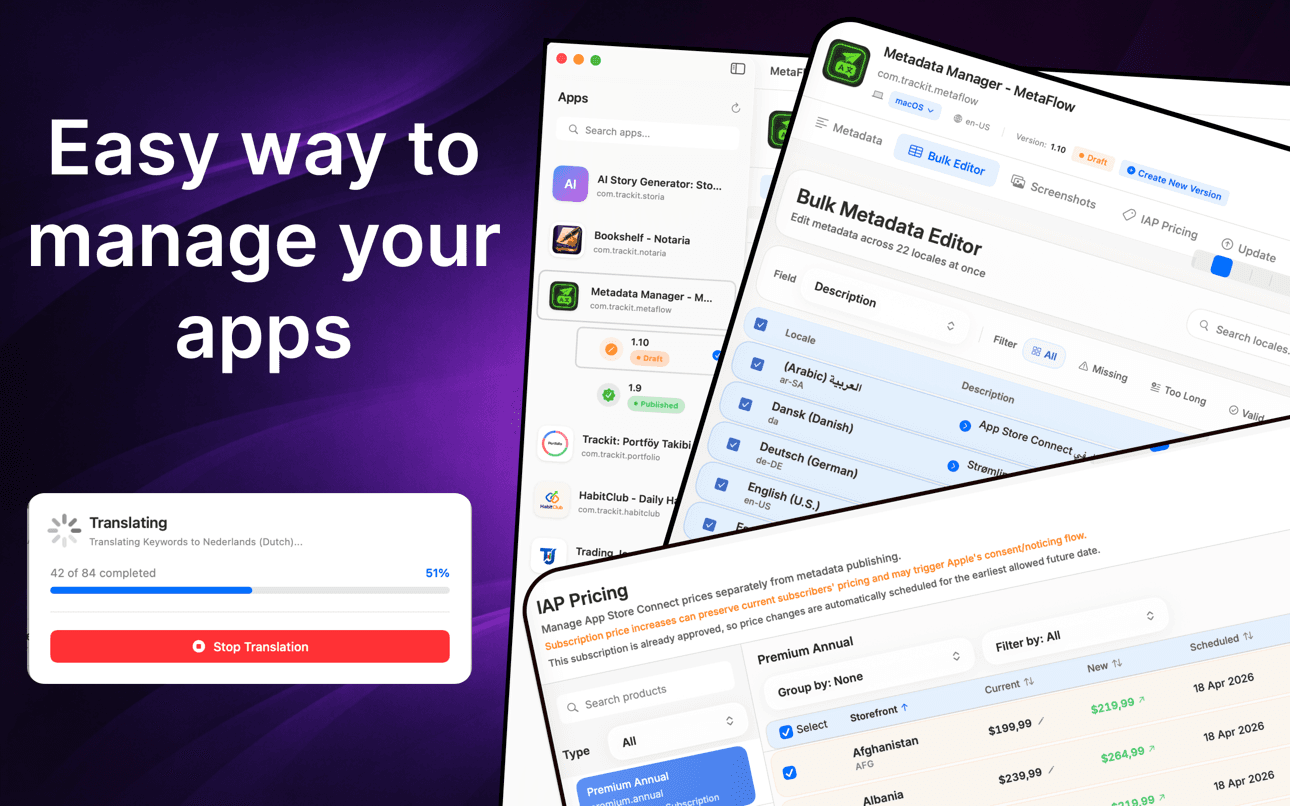
Übersetze Metadaten, bearbeite Sprachen im Stapel, verwalte Screenshots und aktualisiere die Preise ohne die Webformulare.
So funktioniert's
MetaFlow verwandelt die Lokalisierung in App Store Connect in einen nativen Vier-Schritte-Workflow – verbinden, übersetzen, Screenshots verwalten und veröffentlichen.
Fügen Sie Ihren App Store Connect API-Schlüssel einmalig hinzu, und MetaFlow ruft Ihre Apps, Versionen und alle Sprachen ab. Anmeldedaten werden im macOS-Schlüsselbund gespeichert und bleiben auf Ihrem Mac.
Bearbeiten Sie Namen, Untertitel, Keywords und Beschreibungen nativ oder übersetzen Sie sie mit OpenAI, Google Gemini oder DeepL in über 30 Sprachen – mit menschlicher Prüfung, bevor etwas veröffentlicht wird.
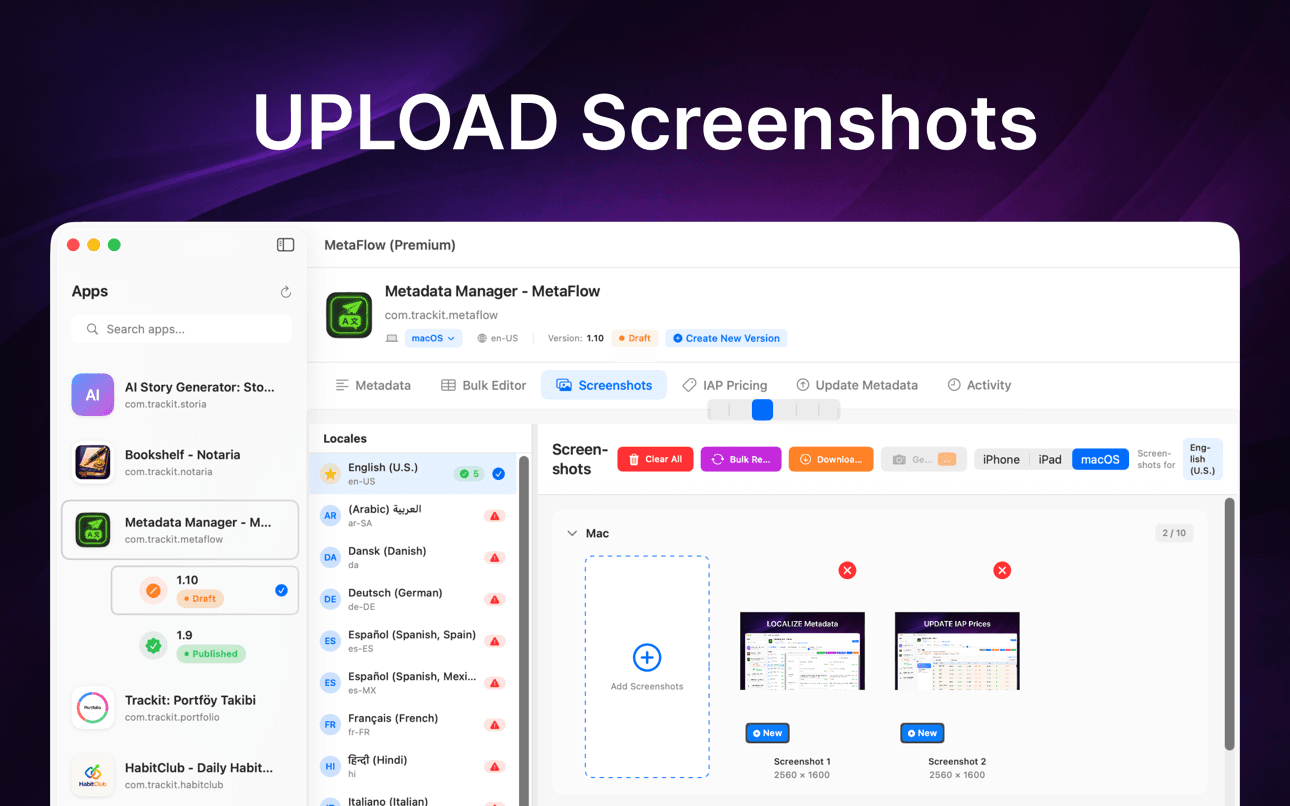
Ziehen Sie Screenshots per Drag-and-drop, kategorisieren Sie sie automatisch nach Gerätegruppe, wenden Sie Apples Vererbungsregeln an und laden Sie vorhandene Screenshots aus allen Sprachen an einem Ort herunter.
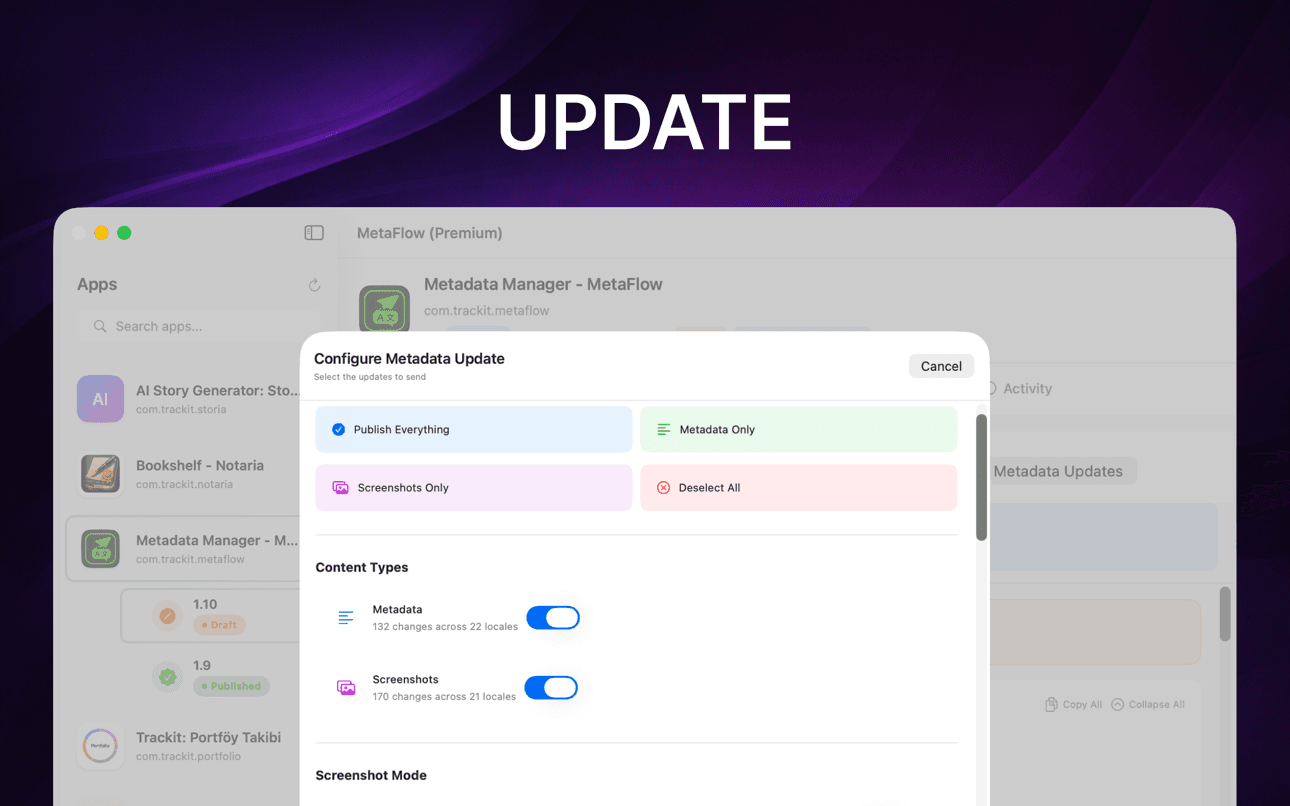
Führen Sie eine Vorabprüfung und eine Testvorschau aus und veröffentlichen Sie dann Metadaten, Screenshots und Preise über die App Store Connect API mit Statusverfolgung pro Sprache.
Wobei es hilft
MetaFlow ist der moderne, KI-gestützte Metadaten- und Screenshot-Manager für Indie-Entwickler und Vibe-Coder.
Übersetzen Sie Metadaten in über 30 Sprachen mit OpenAI, Google Gemini oder DeepL.
Bearbeiten Sie Lokalisierungen in einer tabellenähnlichen Ansicht mit Stapelverarbeitung und Validierung.
Verwalten Sie iPhone-, iPad- und Mac-Screenshots mit Drag-and-Drop-Organisation.
Änderungen vorschauen, Felder validieren und über App Store Connect APIs veröffentlichen.
Navigieren Sie durch Lokalisierung, Screenshots, Validierung und Veröffentlichung in einem fokussierten nativen Mac-Workflow.
Behalten Sie die menschliche Überprüfung bei, während die KI repetitive Lokalisierungsaufgaben übernimmt.
Anleitungen
Praxisnahe, entwicklerorientierte Anleitungen zum Lokalisieren, Übersetzen und Veröffentlichen von App-Store-Metadaten.
Localize your App Store name, subtitle, description, and keywords the right way — fields, character limits, market picks, and a faster way to ship it.
Anleitung lesenHow to translate an App Store description with OpenAI, Gemini, or DeepL — context prompts, character limits, review workflow, and publishing to ASC.
Anleitung lesenStop uploading screenshots locale by locale. Apple's inheritance rules, Media Manager limits, and how to bulk-upload every language from your Mac.
Anleitung lesenfastlane deliver is powerful but high-maintenance. Compare GUI alternatives for App Store Connect metadata, screenshots, and publishing on macOS.
Anleitung lesenGenerate an App Store Connect API key in minutes: request access, pick the right role, download the .p8, find your Issuer ID, and keep it secure.
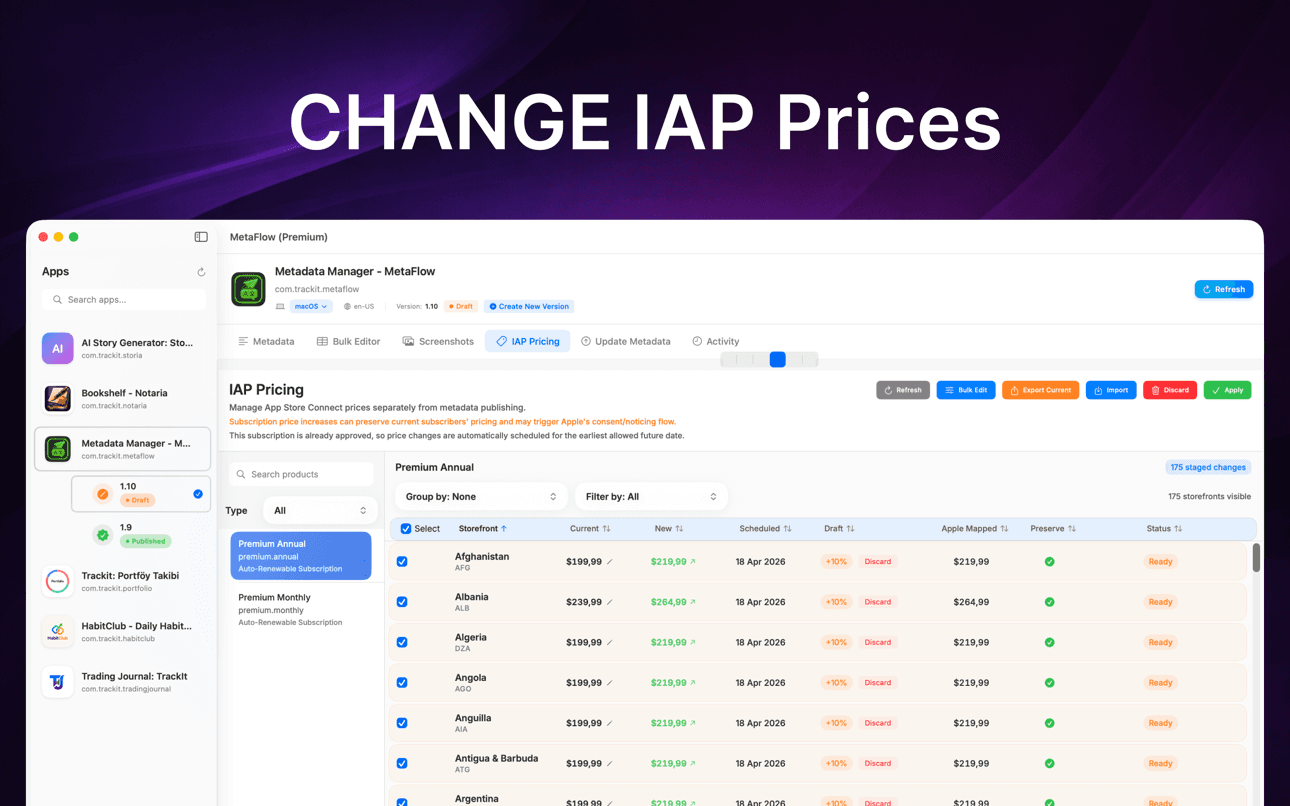
Anleitung lesenChange IAP and subscription prices in App Store Connect: price tiers, scheduled changes, preserving existing subscribers, and bulk regional updates.
Anleitung lesenWarum es wichtig ist
MetaFlow wurde für Teams und Indie-Entwickler entwickelt, die viele Lokalisierungen, Screenshots, Preise und Veröffentlichungen verwalten.
Ihre Metadaten, Screenshots, Anmeldeinformationen und Anbieter-Keys bleiben auf Ihrem Mac, es sei denn, Sie entscheiden sich für die Veröffentlichung oder Übersetzung über verbundene Dienste.
Metadaten Übersetzer & Updater
MetaFlow ist der moderne, KI-gestützte Metadaten- und Screenshot-Manager für Indie-Entwickler und Vibe-Coder. Verabschieden Sie sich von mühsamen Webformularen und begrüßen Sie eine schnelle, native Mac-App, die Ihnen Stunden bei der App-Lokalisierung und -Veröffentlichung erspart.
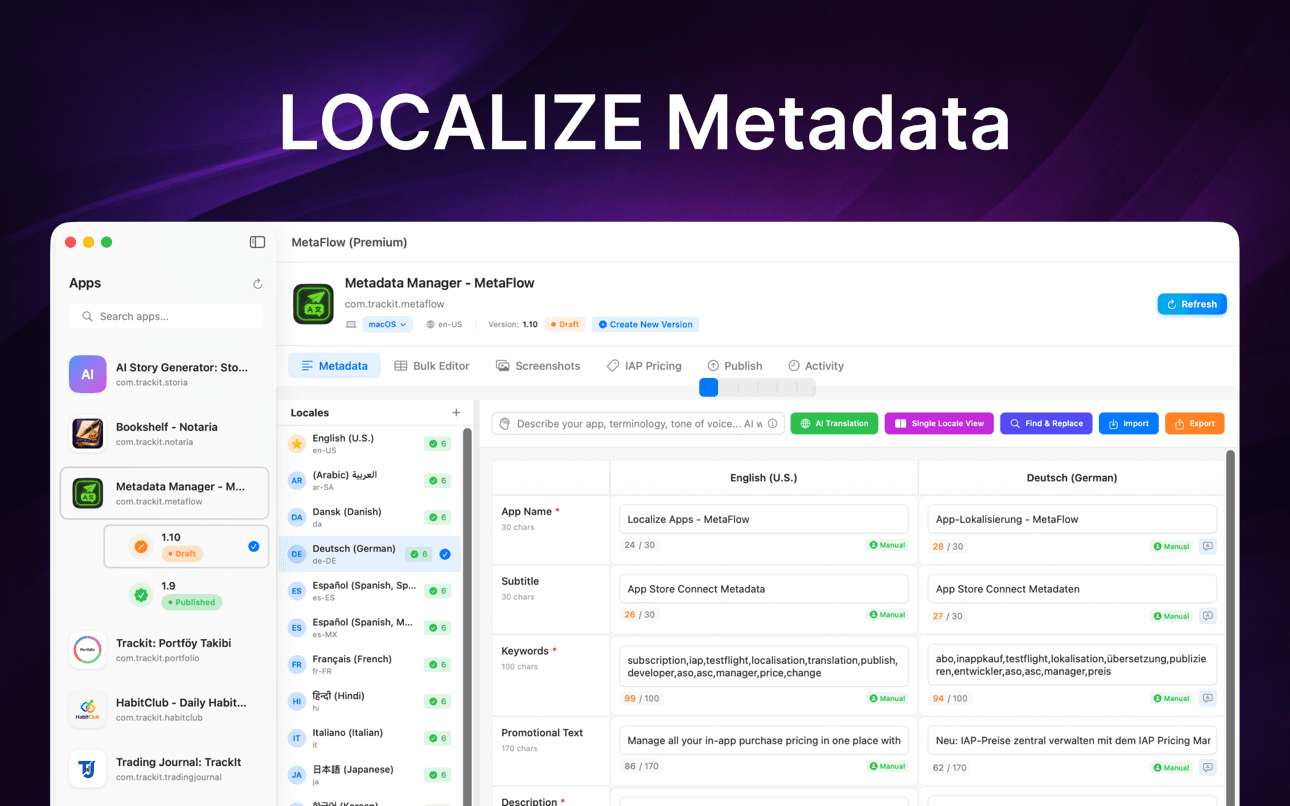
Übersetzen Sie Metadaten in über 30 Sprachen in wenigen Minuten. Wählen Sie zwischen OpenAI, Google Gemini oder DeepL. Fügen Sie Ihren API-Schlüssel hinzu und legen Sie los. Kontextsensitive Übersetzungen verstehen Ihre App, während Sie mit einem Human-in-the-Loop-Workflow die Kontrolle behalten.
Bearbeiten Sie Lokalisierungen in einer tabellenartigen Ansicht. Kopieren Sie von der primären Lokalisierung in jede beliebige Sprache, filtern Sie nach fehlenden Inhalten oder Zeichenbeschränkungen und nutzen Sie die Inline-Bearbeitung mit Echtzeit-Validierung. Suchen und wählen Sie mehrere Lokalisierungen für Stapeloperationen aus.
Unterstützung für Apple-Geräte: iPhone, iPad, Mac. Drag-and-Drop-Hinzufügung, automatische Kategorisierung nach Gerätegruppe, Nutzung der Screenshot-Vererbungsregeln von Apple und Herunterladen bestehender Screenshots von App Store Connect.
FAQ
MetaFlow unterstützt OpenAI, Google Gemini und DeepL. Sie wählen den Anbieter pro Projekt, und kontextbezogene Prompts geben dem Modell die Terminologie und den Ton Ihrer App mit, damit Übersetzungen natürlich statt wörtlich klingen.
Ja. MetaFlow nutzt ein Bring-your-own-Key-Modell: Sie fügen Ihren eigenen OpenAI-, Gemini- oder DeepL-API-Schlüssel hinzu, und Übersetzungen laufen über Ihr Konto. So behalten Sie die Kontrolle über Kosten und Nutzung, und die KI-Übersetzung ist optional – Sie können Metadaten bearbeiten und veröffentlichen, ohne je einen Schlüssel hinzuzufügen.
Ihr App Store Connect API-Schlüssel und Ihre Anbieter-Schlüssel werden im macOS-Schlüsselbund gespeichert und verlassen Ihren Mac nie. MetaFlow ist local-first ohne Cloud-Sync – es gibt keinen MetaFlow-Server, und Ihre Anmeldedaten und Metadaten bleiben auf Ihrem Rechner, sofern Sie sich nicht fürs Veröffentlichen oder Übersetzen entscheiden. MetaFlow sendet Produktanalysen (App-Version, Funktionsnutzung und ungefährer Standort anhand Ihrer IP), um die App zu verbessern; Ihre Metadaten, Screenshots und Schlüssel sind dabei nie enthalten.
MetaFlow bearbeitet die lokalisierten Felder, die App Store Connect bereitstellt – App-Name, Untertitel, Keywords, Werbetext, Beschreibung und Neuerungen – mit Live-Zeichenzählern und Validierung für jedes Feld, sodass Sie Apples Grenzen nie überschreiten.
Ja. Sie können Screenshots pro Gerät und Sprache per Drag-and-drop mit Apples Vererbungsregeln verwalten und In-App-Kauf- und Abo-Preise in großen Mengen nach Prozentsatz, Stufe oder manuellem Wert aktualisieren – inklusive geplanter Änderungen und Preiserhalt für bestehende Abonnenten.
MetaFlow lässt sich kostenlos aus dem Mac App Store laden, und die kostenlose Stufe verwaltet Ihre erste App mit dem vollen Funktionsumfang – Bearbeiten, KI-Übersetzung, Screenshots und Veröffentlichen. MetaFlow Premium ist ein In-App-Abo, das unbegrenzte Apps freischaltet. Es erfordert macOS 14.0 oder neuer und ein App Store Connect-Konto mit API-Zugriff. KI-Übersetzungsanbieter rechnen über Ihren eigenen API-Schlüssel ab.
MetaFlow führt eine Vorabprüfung und eine Testvorschau aus, die genau zeigt, was sich ändern wird, und veröffentlicht dann über die App Store Connect API mit detaillierter Statusverfolgung pro Sprache. Die versionsbewusste Bearbeitung berücksichtigt Entwurfs- und Veröffentlichungsstatus, sodass Sie stets wissen, was live geht.
Los geht's
MetaFlow ist der moderne, KI-gestützte Metadaten- und Screenshot-Manager für Indie-Entwickler und Vibe-Coder.