AI 驱动翻译
使用 OpenAI、Google Gemini 或 DeepL 将元数据翻译成 30 多种语言。
元数据本地化与更新
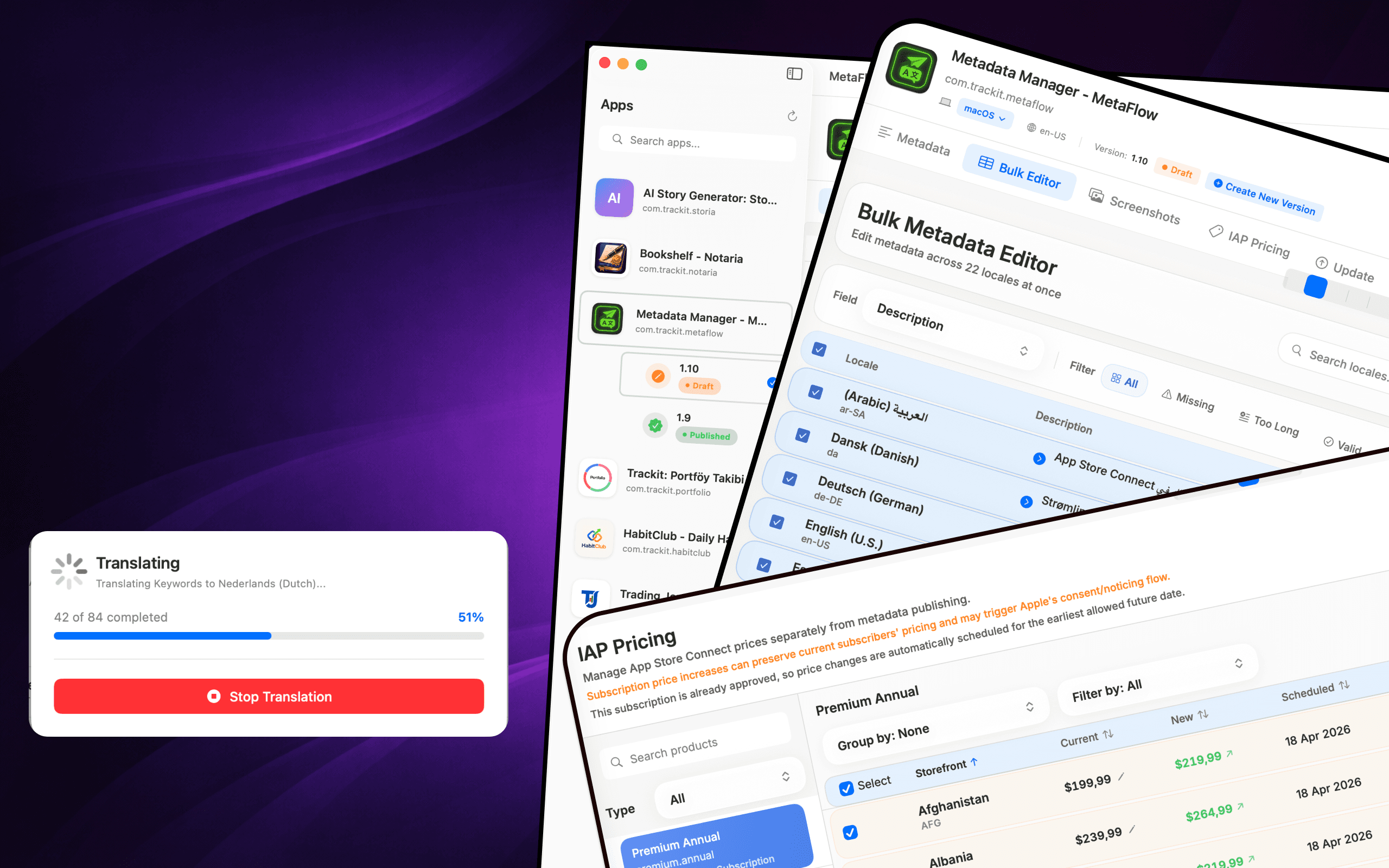
MetaFlow 是一款专为独立开发者和创新编码者打造的现代化、AI 驱动的元数据和截图管理工具。告别繁琐的网页表单,拥抱快速、原生的 Mac 应用,助您在应用本地化和发布上节省数小时宝贵时间。

下载
Metadata Translator & Updater
MetaFlow 是一款专为独立开发者和创新编码者打造的现代化、AI 驱动的元数据和截图管理工具。告别繁琐的网页表单,拥抱快速、原生的 Mac 应用,助您在应用本地化和发布上节省数小时宝贵时间。
截图
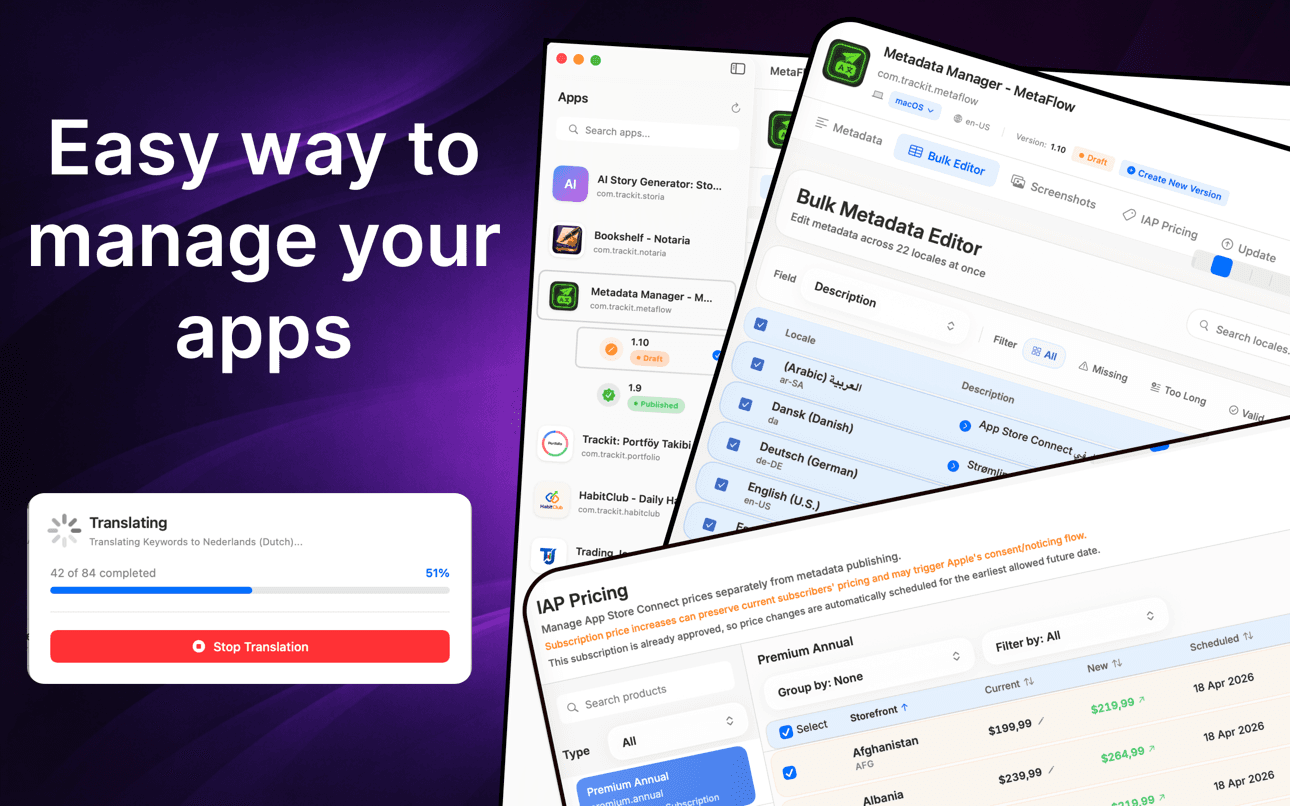
翻译元数据、批量编辑语言、管理截图并更新价格,无需使用网页表单。
工作原理
MetaFlow 将 App Store Connect 的本地化变成连接、翻译、管理截图、发布这四步的原生工作流。
只需添加一次 App Store Connect API 密钥,MetaFlow 就会拉取你的 App、版本以及所有语言。凭据保存在 macOS 钥匙串中,始终留在你的 Mac 上。
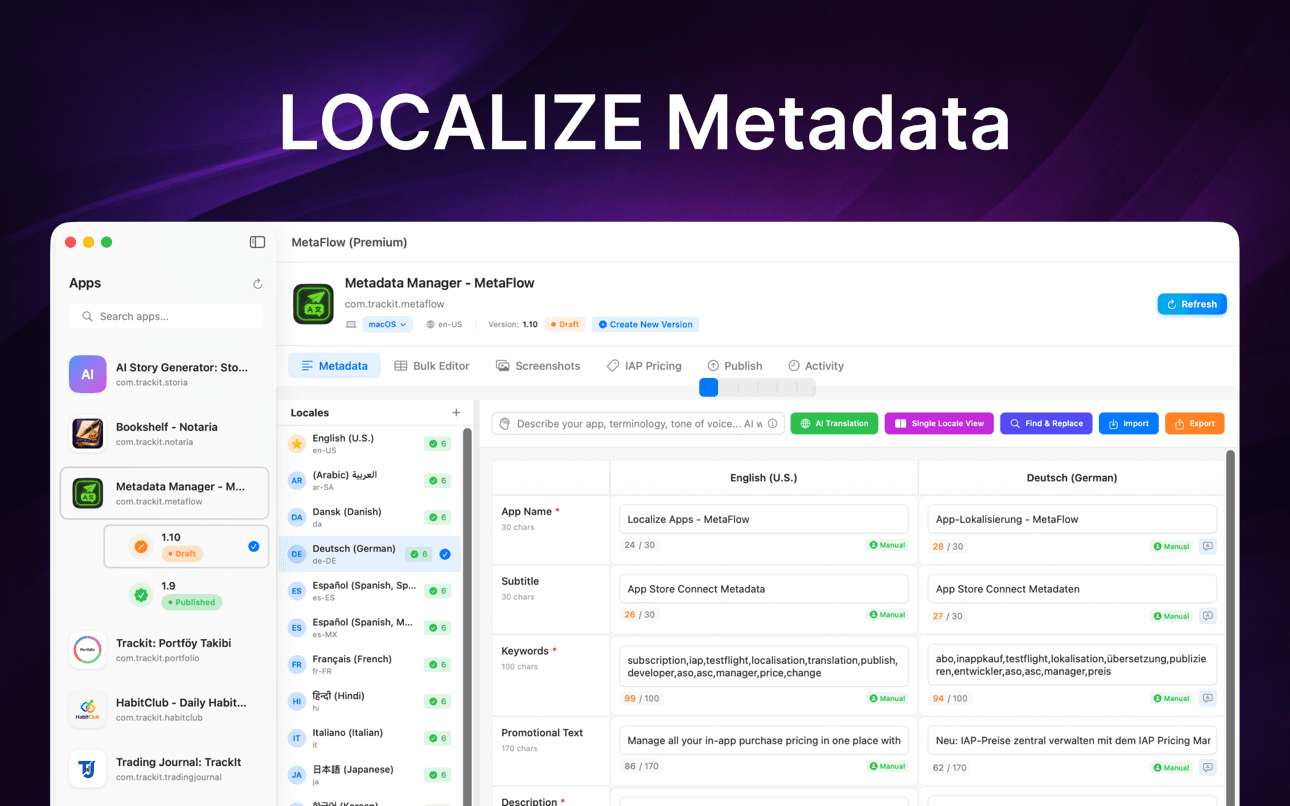
以原生方式编辑名称、副标题、关键词和描述,或使用 OpenAI、Google Gemini 或 DeepL 将它们翻译成 30 多种语言——在任何内容上线前都有人工审核。
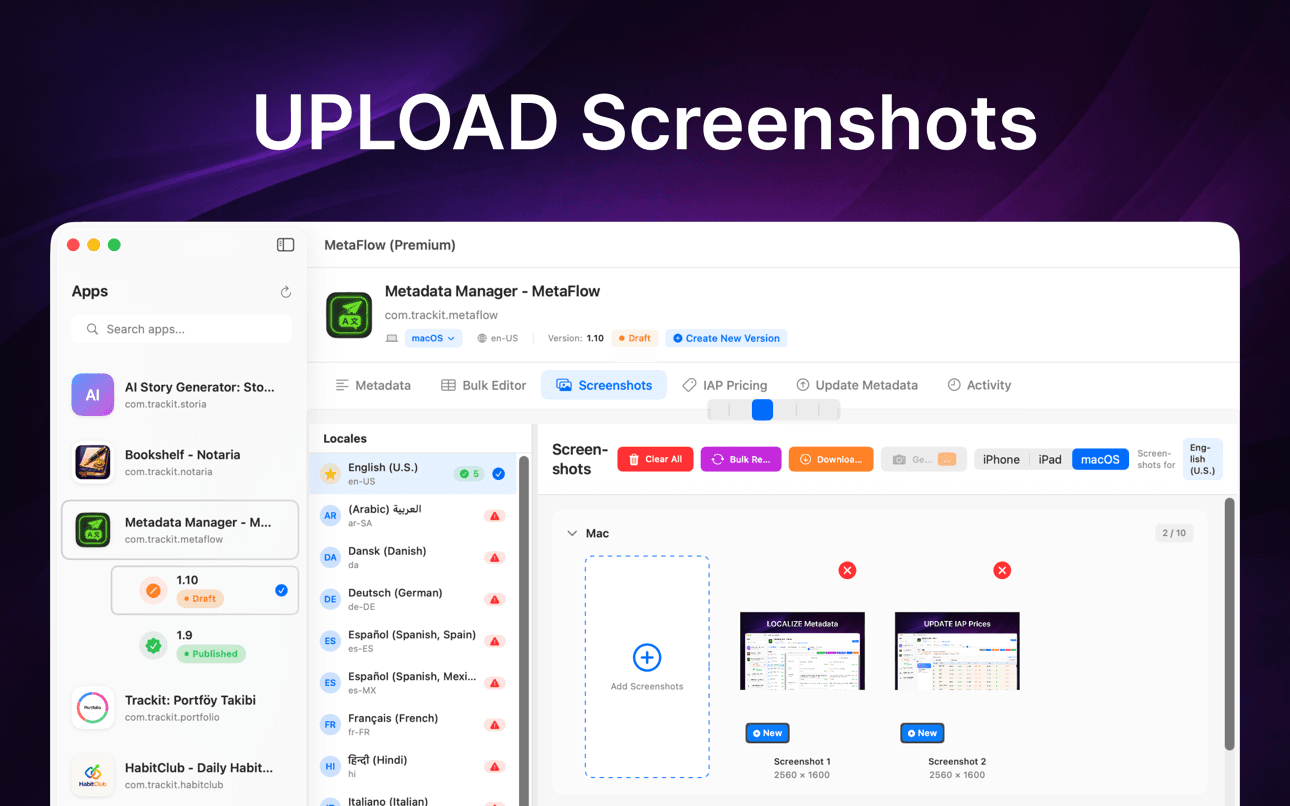
拖放截图、按设备组自动归类、应用 Apple 的继承规则,并在一个地方下载所有语言的现有截图。
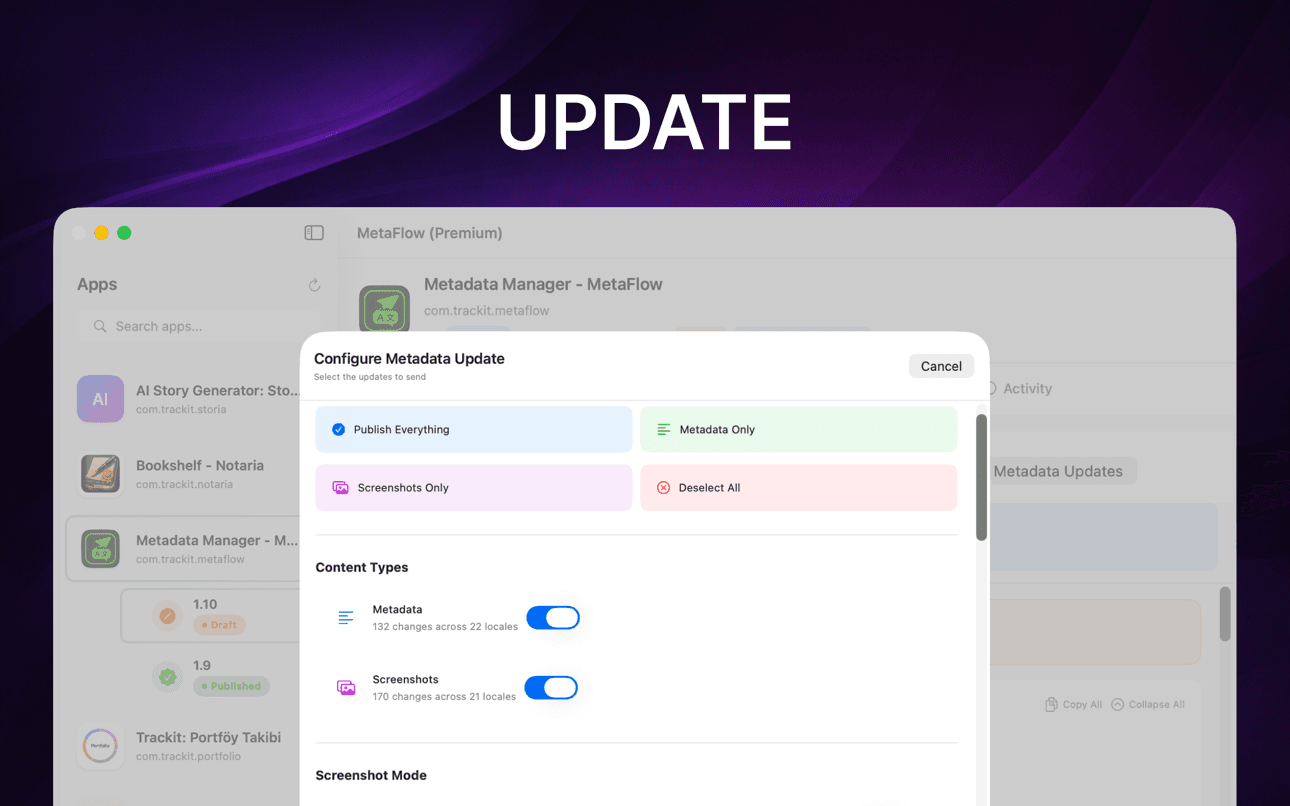
先运行预检校验和试运行预览,然后通过 App Store Connect API 发布 metadata、截图和价格,并按语言跟踪状态。
它能帮您什么
MetaFlow 是一款专为独立开发者和创新编码者打造的现代化、AI 驱动的元数据和截图管理工具。告别繁琐的网页表单,拥抱快速、原生的 Mac 应用,助您在应用本地化和发布上节省数小时宝贵时间。
使用 OpenAI、Google Gemini 或 DeepL 将元数据翻译成 30 多种语言。
在电子表格式表格中编辑语言环境,支持批量操作和验证。
通过拖放组织方式处理 iPhone、iPad 和 Mac 屏幕截图。
预览更改、验证字段并通过 App Store Connect API 发布。
在专注的 Mac 原生工作流程中完成本地化、屏幕截图、验证和发布。
在 AI 处理重复的本地化工作时,保留人工审核环节。
指南
面向开发者的实用教程,帮助你本地化、翻译并发布 App Store 元数据。
Localize your App Store name, subtitle, description, and keywords the right way — fields, character limits, market picks, and a faster way to ship it.
阅读指南How to translate an App Store description with OpenAI, Gemini, or DeepL — context prompts, character limits, review workflow, and publishing to ASC.
阅读指南Stop uploading screenshots locale by locale. Apple's inheritance rules, Media Manager limits, and how to bulk-upload every language from your Mac.
阅读指南fastlane deliver is powerful but high-maintenance. Compare GUI alternatives for App Store Connect metadata, screenshots, and publishing on macOS.
阅读指南Generate an App Store Connect API key in minutes: request access, pick the right role, download the .p8, find your Issuer ID, and keep it secure.
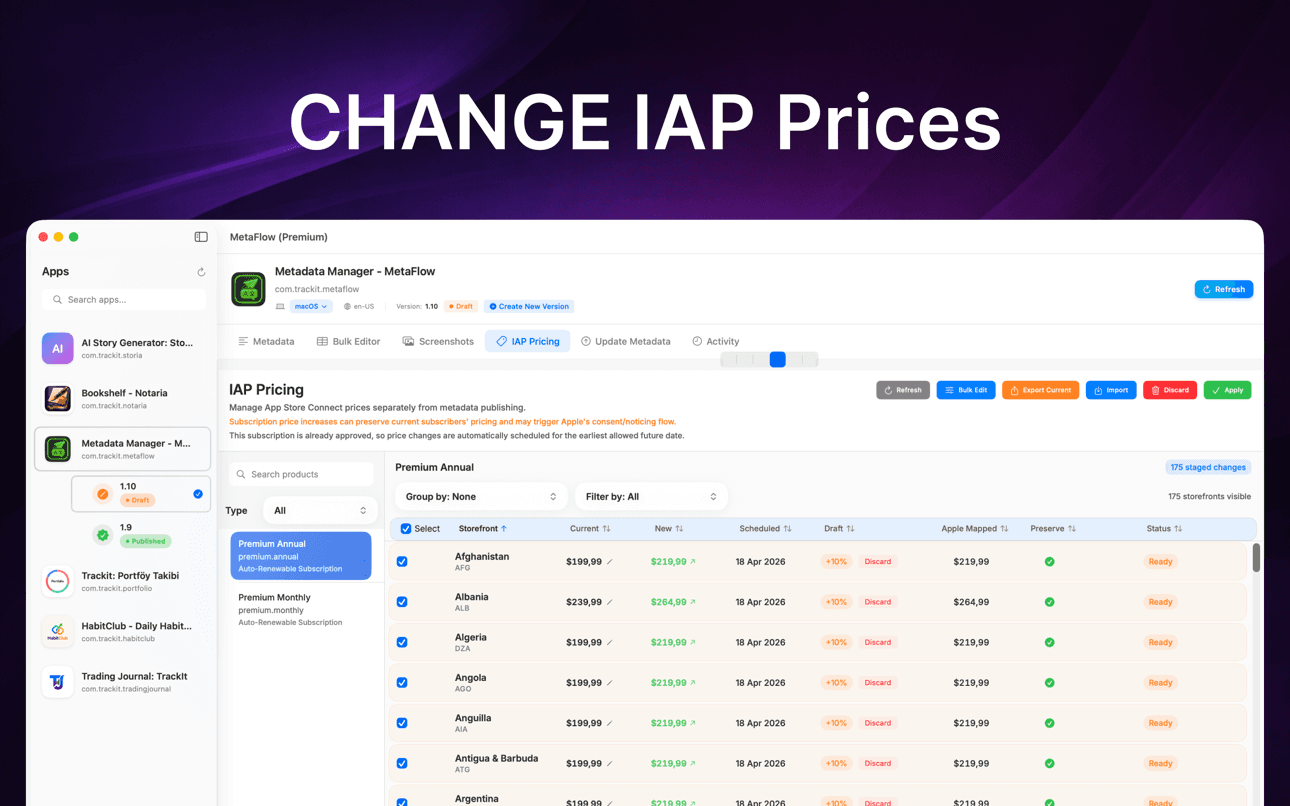
阅读指南Change IAP and subscription prices in App Store Connect: price tiers, scheduled changes, preserving existing subscribers, and bulk regional updates.
阅读指南为何重要
MetaFlow 专为管理多种语言环境、屏幕截图、价格和发布的团队及独立开发者打造。
您的元数据、屏幕截图、凭据和提供商密钥将保留在您的 Mac 上,除非您选择通过连接服务发布或翻译。
元数据本地化与更新
MetaFlow 是一款专为独立开发者和创新编码者打造的现代化、AI 驱动的元数据和截图管理工具。告别繁琐的网页表单,拥抱快速、原生的 Mac 应用,助您在应用本地化和发布上节省数小时宝贵时间。
数分钟内将元数据翻译成 30 多种语言。支持 OpenAI、Google Gemini 或 DeepL。添加您的 API 密钥即可开始。上下文感知翻译能理解您的应用,同时通过人工干预工作流程让您保持掌控。
支持 Apple 设备:iPhone、iPad、Mac。拖放添加,按设备组自动分类,利用 Apple 的截图继承规则,并从 App Store Connect 下载现有截图。
按您的方式更新应用内购买和订阅价格。通过百分比更改价格、选择新等级或手动输入值以实现精确控制。必要时为现有订阅者保留当前价格,并安排稍后更改价格,以配合您的发布、促销或区域定价策略。
常见问题
MetaFlow 支持 OpenAI、Google Gemini 和 DeepL。你可以按项目选择服务商,上下文感知的提示词会把你 App 的术语和语气传递给模型,让翻译读起来自然而非生硬直译。
是的。MetaFlow 采用自带密钥(BYOK)模式:你添加自己的 OpenAI、Gemini 或 DeepL API 密钥,翻译通过你的账户运行。这样你能自行掌控成本和用量,而且 AI 翻译是可选的——即使不添加任何密钥,你也可以编辑并发布 metadata。
你的 App Store Connect API 密钥和服务商密钥保存在 macOS 钥匙串中,绝不会离开你的 Mac。MetaFlow 采用本地优先、无云端同步——不存在 MetaFlow 服务器,除非你选择发布或翻译,你的凭据和 metadata 都留在本机。MetaFlow 会发送产品分析数据(App 版本、功能使用情况以及根据 IP 得出的大致位置)以帮助改进 App;你的 metadata、截图和密钥绝不会包含在内。
MetaFlow 会编辑 App Store Connect 提供的本地化字段——App 名称、副标题、关键词、宣传文本、描述和更新说明——每个字段都带有实时字数统计和校验,让你绝不会超出 Apple 的限制。
可以。你能按设备和语言使用 Apple 的继承规则拖放截图,并按百分比、价格档位或手动数值批量更新 App 内购买和订阅的价格——包括预定的变更以及为现有订阅者保留价格。
MetaFlow 可从 Mac App Store 免费下载,免费层级即可用完整功能管理你的第一个 App——编辑、AI 翻译、截图和发布。MetaFlow Premium 是一项 App 内订阅,可解锁无限数量的 App。它需要 macOS 14.0 或更高版本,以及一个开通 API 访问的 App Store Connect 账户。AI 翻译服务商通过你自己的 API 密钥计费。
MetaFlow 会运行预检校验和试运行预览,准确显示将要发生的更改,然后通过 App Store Connect API 发布,并提供按语言的详细状态跟踪。版本感知的编辑会处理草稿和已发布状态,让你始终清楚哪些内容将会上线。