AI-gestuurde vertaling
Vertaal metadata naar meer dan 30 talen met OpenAI, Google Gemini of DeepL.
Metadata Vertaler & Bijwerker
MetaFlow is de moderne, AI-gestuurde metadata- en screenshotmanager voor indie-ontwikkelaars en 'vibe coders'. Zeg vaarwel tegen omslachtige webformulieren en hallo tegen een snelle, native Mac-app die je uren bespaart op app-lokalisatie en -publicatie.

Download
Metadata Translator & Updater
MetaFlow is de moderne, AI-gestuurde metadata- en screenshotmanager voor indie-ontwikkelaars en 'vibe coders'.
Screenshots
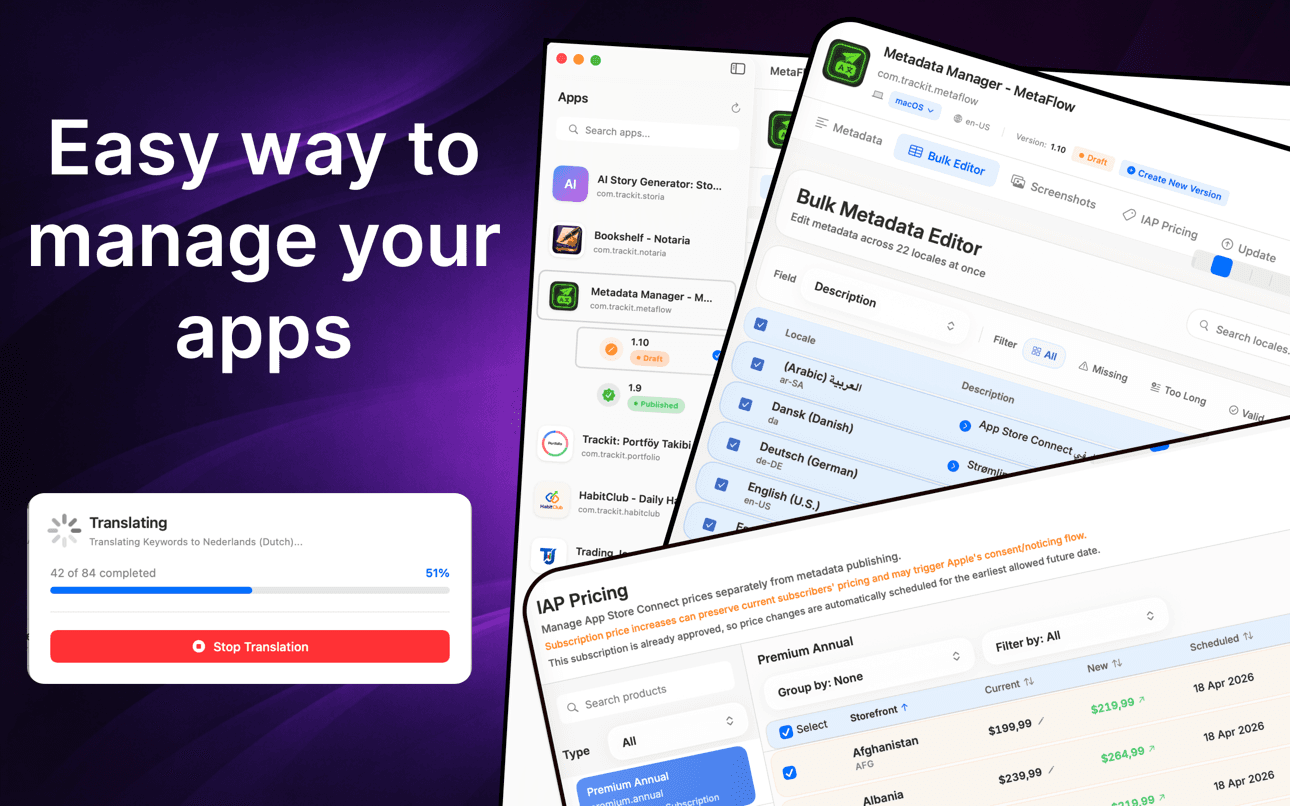
Translate metadata, bulk-edit locales, manage screenshots, and update pricing without the web forms.
How it works
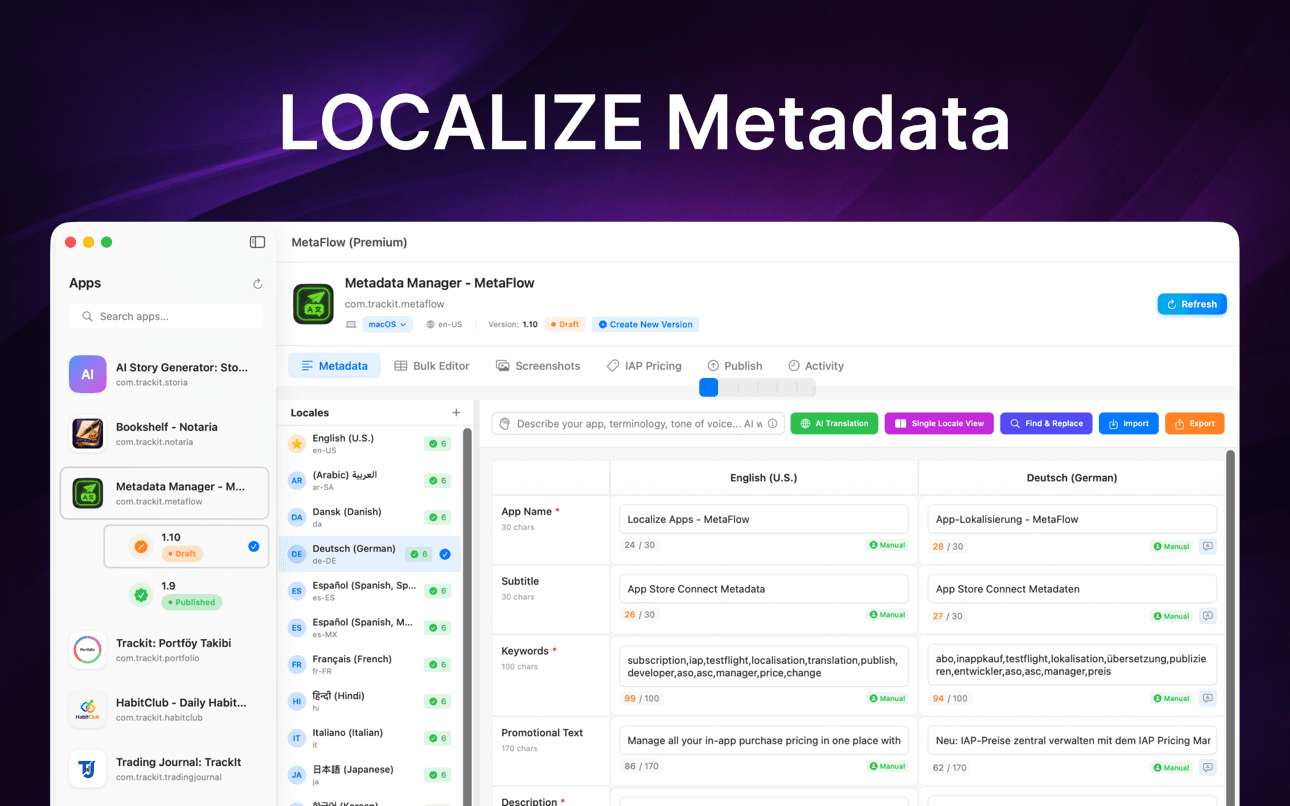
MetaFlow turns App Store Connect localization into a four-step native workflow — connect, translate, manage screenshots, and publish.
Add your App Store Connect API key once and MetaFlow pulls in your apps, versions, and every locale. Credentials are stored in the macOS Keychain and stay on your Mac.
Edit names, subtitles, keywords, and descriptions natively, or translate them to 30+ languages with OpenAI, Google Gemini, or DeepL — with human-in-the-loop review before anything ships.
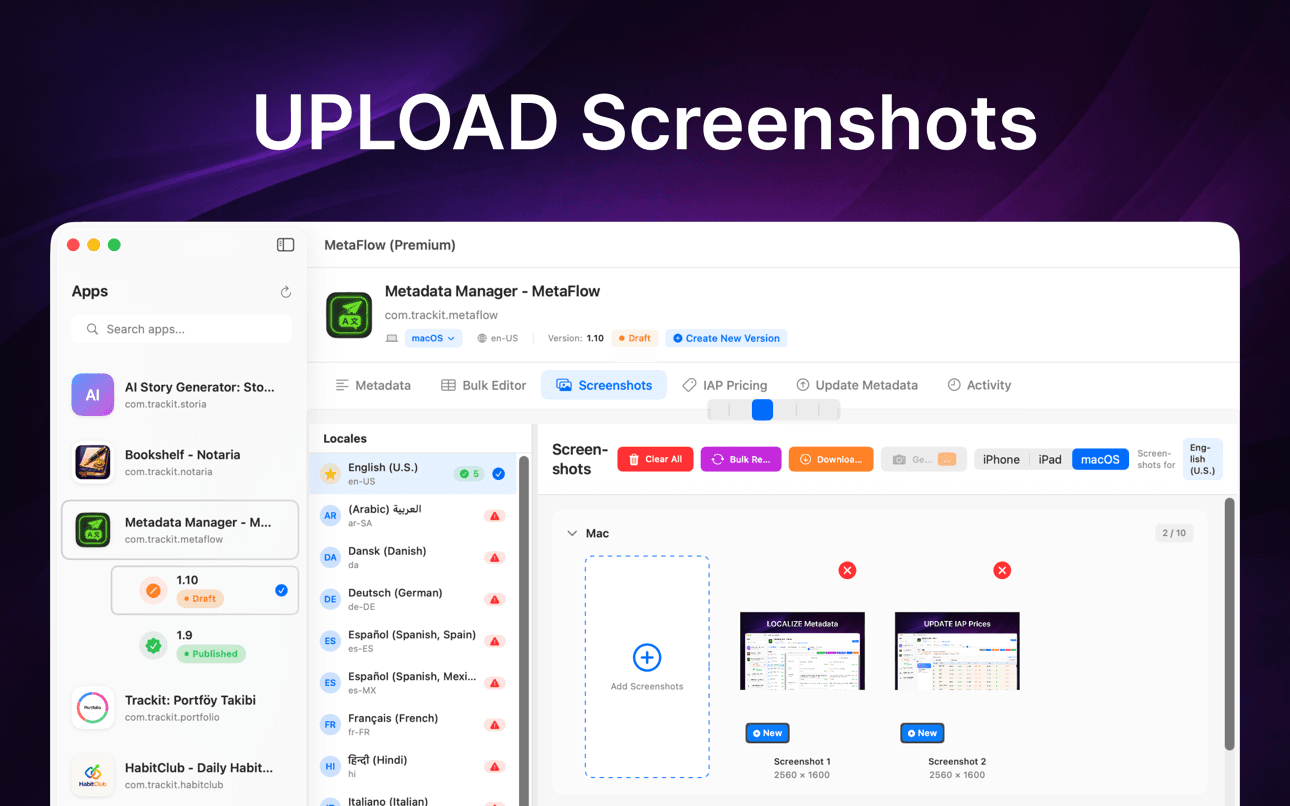
Drag and drop screenshots, auto-categorize by device group, apply Apple's inheritance rules, and download existing screenshots from every locale in one place.
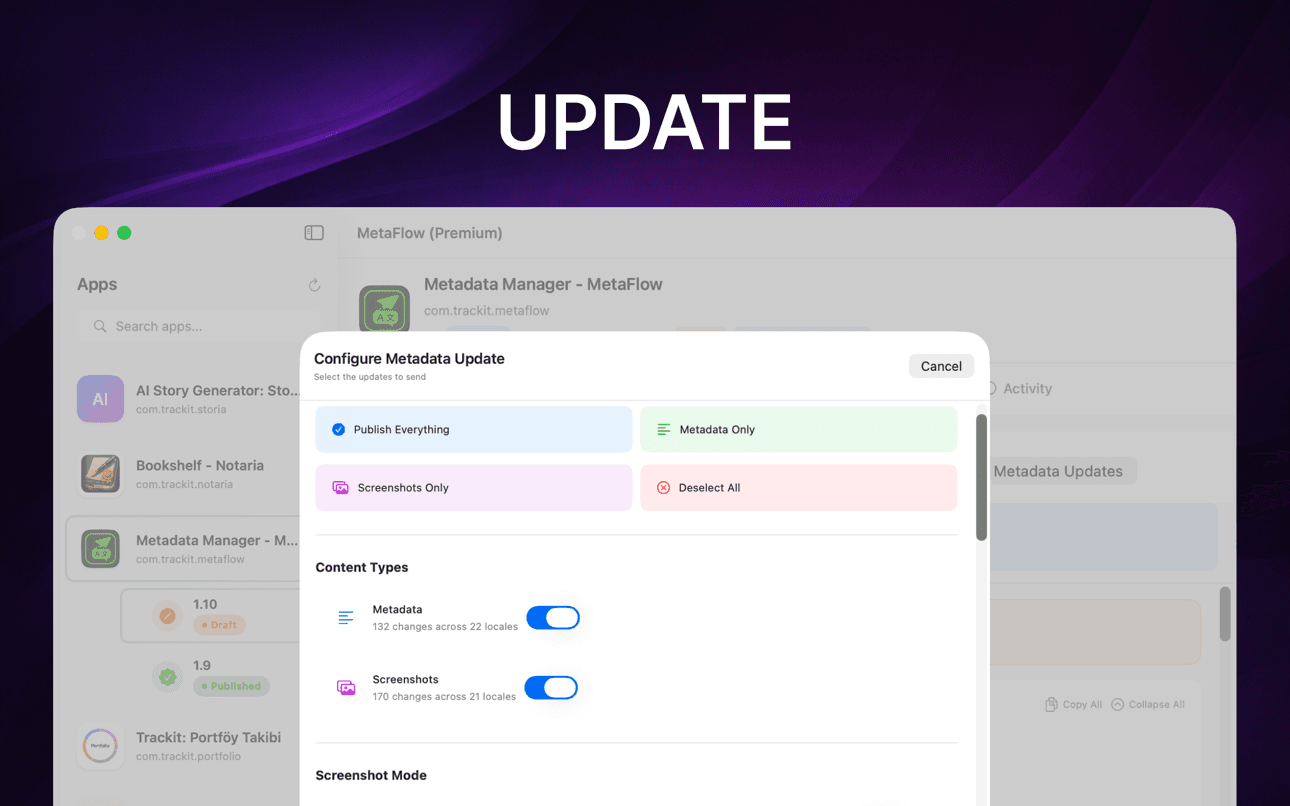
Run pre-flight validation and a dry-run preview, then publish metadata, screenshots, and pricing through the App Store Connect API with per-locale status tracking.
Waar het bij helpt
MetaFlow is de moderne, AI-gestuurde metadata- en screenshotmanager voor indie-ontwikkelaars en 'vibe coders'.
Vertaal metadata naar meer dan 30 talen met OpenAI, Google Gemini of DeepL.
Bewerk landinstellingen in een tabel in spreadsheetstijl met batchbewerkingen en validatie.
Beheer iPhone-, iPad- en Mac-screenshots met slepen-en-neerzetten organisatie.
Bekijk wijzigingen, valideer velden en publiceer via App Store Connect API's.
Doorloop lokalisatie, screenshots, validatie en publicatie in een gerichte native Mac-workflow.
Houd menselijke controle betrokken terwijl AI repetitief lokalisatiewerk afhandelt.
Guides
Practical, developer-focused walkthroughs for localizing, translating, and shipping App Store metadata.
Localize your App Store name, subtitle, description, and keywords the right way — fields, character limits, market picks, and a faster way to ship it.
Read guideHow to translate an App Store description with OpenAI, Gemini, or DeepL — context prompts, character limits, review workflow, and publishing to ASC.
Read guideStop uploading screenshots locale by locale. Apple's inheritance rules, Media Manager limits, and how to bulk-upload every language from your Mac.
Read guidefastlane deliver is powerful but high-maintenance. Compare GUI alternatives for App Store Connect metadata, screenshots, and publishing on macOS.
Read guideGenerate an App Store Connect API key in minutes: request access, pick the right role, download the .p8, find your Issuer ID, and keep it secure.
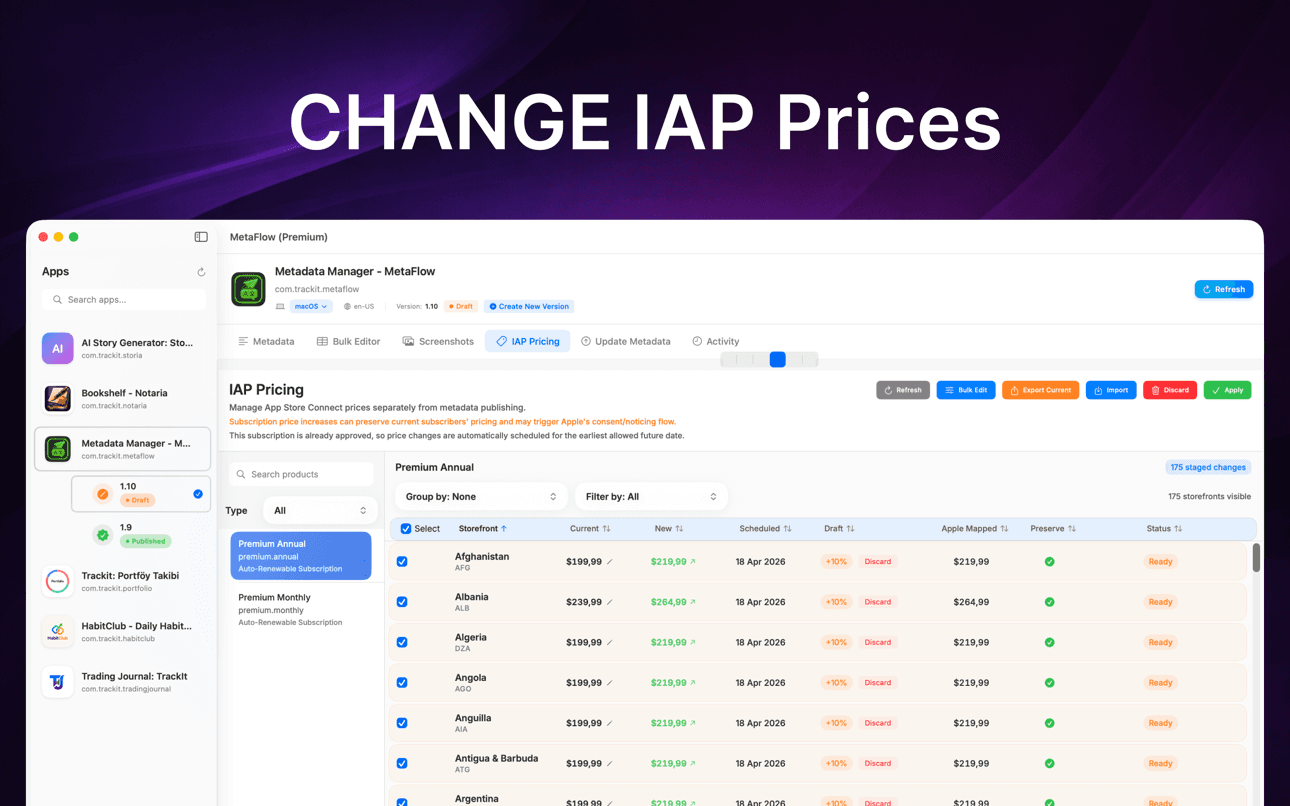
Read guideChange IAP and subscription prices in App Store Connect: price tiers, scheduled changes, preserving existing subscribers, and bulk regional updates.
Read guideWaarom het belangrijk is
MetaFlow is gebouwd voor teams en onafhankelijke ontwikkelaars die veel landinstellingen, screenshots, prijzen en releases beheren.
Uw metadata, screenshots, inloggegevens en provider-sleutels blijven op uw Mac, tenzij u ervoor kiest om te publiceren of te vertalen via verbonden services.
Metadata Vertaler & Bijwerker
MetaFlow is de moderne, AI-gestuurde metadata- en screenshotmanager voor indie-ontwikkelaars en 'vibe coders'. Zeg vaarwel tegen omslachtige webformulieren en hallo tegen een snelle, native Mac-app die je uren bespaart op app-lokalisatie en -publicatie.
Vertaal metadata naar meer dan 30 talen in enkele minuten. Kies uit OpenAI, Google Gemini of DeepL. Voeg je API-sleutel toe en ga aan de slag. Contextbewuste vertalingen begrijpen je app, terwijl je zelf de controle behoudt met een 'human-in-the-loop' workflow.
Bewerk landinstellingen in een tabelweergave in spreadsheetstijl. Kopieer van de primaire landinstelling naar elke taal, filter op ontbrekende inhoud of tekenlimieten, en gebruik inline bewerking met realtime validatie. Zoek en selecteer meerdere landinstellingen voor batchbewerkingen.
Ondersteuning voor Apple-apparaten: iPhone, iPad, Mac. Toevoegen via slepen en neerzetten, automatisch categoriseren per apparaatgroep, gebruikmaken van Apple's screenshot-overervingsregels, en bestaande screenshots downloaden van App Store Connect.
FAQ
MetaFlow supports OpenAI, Google Gemini, and DeepL. You pick the provider per project, and context-aware prompts give the model your app's terminology and tone so translations read naturally rather than literally.
Yes. MetaFlow uses a bring-your-own-key model: you add your own OpenAI, Gemini, or DeepL API key, and translations run through your account. That keeps you in control of cost and usage, and AI translation is optional — you can edit and publish metadata without ever adding a key.
Your App Store Connect API key and provider keys are stored in the macOS Keychain and never leave your Mac. MetaFlow is local-first with no cloud sync, so your credentials and metadata stay on your machine unless you choose to publish or translate.
MetaFlow edits the localized fields App Store Connect exposes — app name, subtitle, keywords, promotional text, description, and release notes — with live character counters and validation for each field so you never exceed Apple's limits.
Yes. You can drag and drop screenshots per device and locale using Apple's inheritance rules, and update in-app purchase and subscription prices in bulk by percentage, tier, or manual value — including scheduled changes and preserving prices for existing subscribers.
MetaFlow is free to download from the Mac App Store. It requires macOS 14.0 or later and an App Store Connect account with API access. AI translation providers bill through your own API key.
MetaFlow runs pre-flight validation and a dry-run preview that shows exactly what will change, then publishes through the App Store Connect API with detailed, per-locale status tracking. Version-aware editing handles Draft and Published states so you always know what is going live.
Begin vandaag nog
MetaFlow is de moderne, AI-gestuurde metadata- en screenshotmanager voor indie-ontwikkelaars en 'vibe coders'.