الترجمة المدعومة بالذكاء الاصطناعي
ترجمة البيانات الوصفية إلى أكثر من 30 لغة باستخدام OpenAI أو Google Gemini أو DeepL.
ترجمة وتحديث بيانات التطبيقات
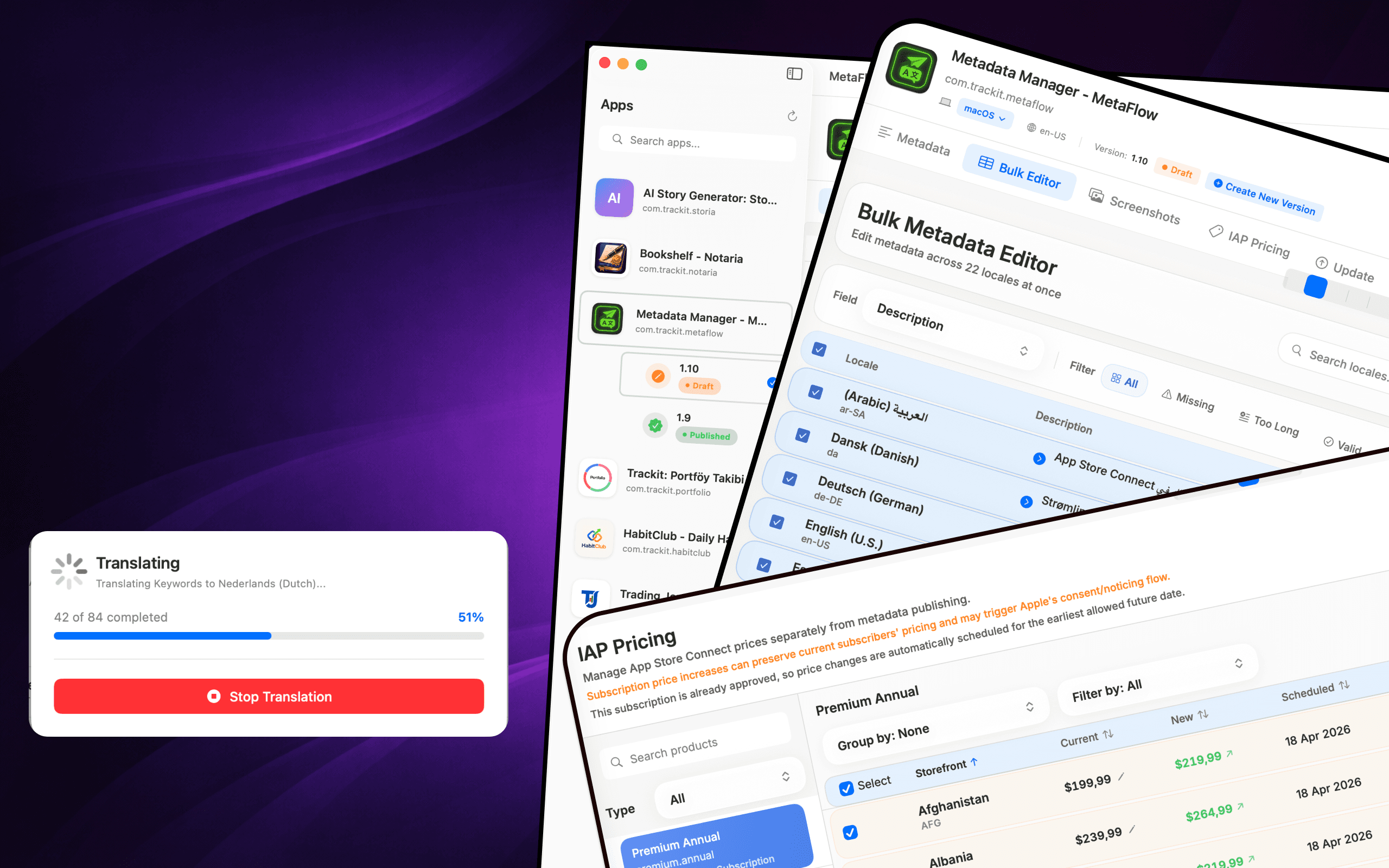
MetaFlow هو مدير البيانات الوصفية ولقطات الشاشة الحديث والمدعوم بالذكاء الاصطناعي للمطورين المستقلين ومبرمجي Vibe. قل وداعًا للنماذج الويب المملة ومرحبًا بتطبيق Mac سريع وأصلي يوفر عليك ساعات في تعريب التطبيقات ونشرها.


Download
Metadata Translator & Updater
MetaFlow هو مدير البيانات الوصفية ولقطات الشاشة الحديث والمدعوم بالذكاء الاصطناعي للمطورين المستقلين ومبرمجي Vibe.
Screenshots
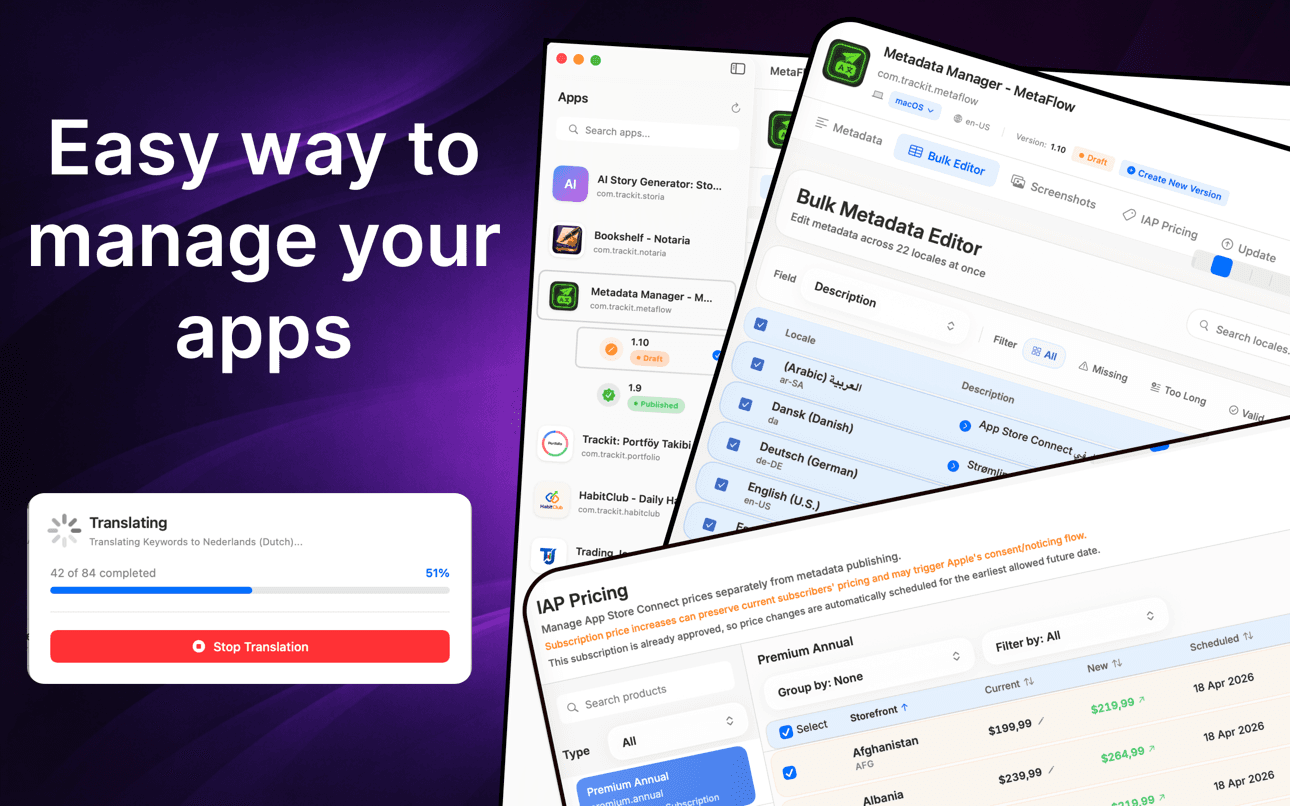
Translate metadata, bulk-edit locales, manage screenshots, and update pricing without the web forms.
How it works
MetaFlow turns App Store Connect localization into a four-step native workflow — connect, translate, manage screenshots, and publish.
Add your App Store Connect API key once and MetaFlow pulls in your apps, versions, and every locale. Credentials are stored in the macOS Keychain and stay on your Mac.
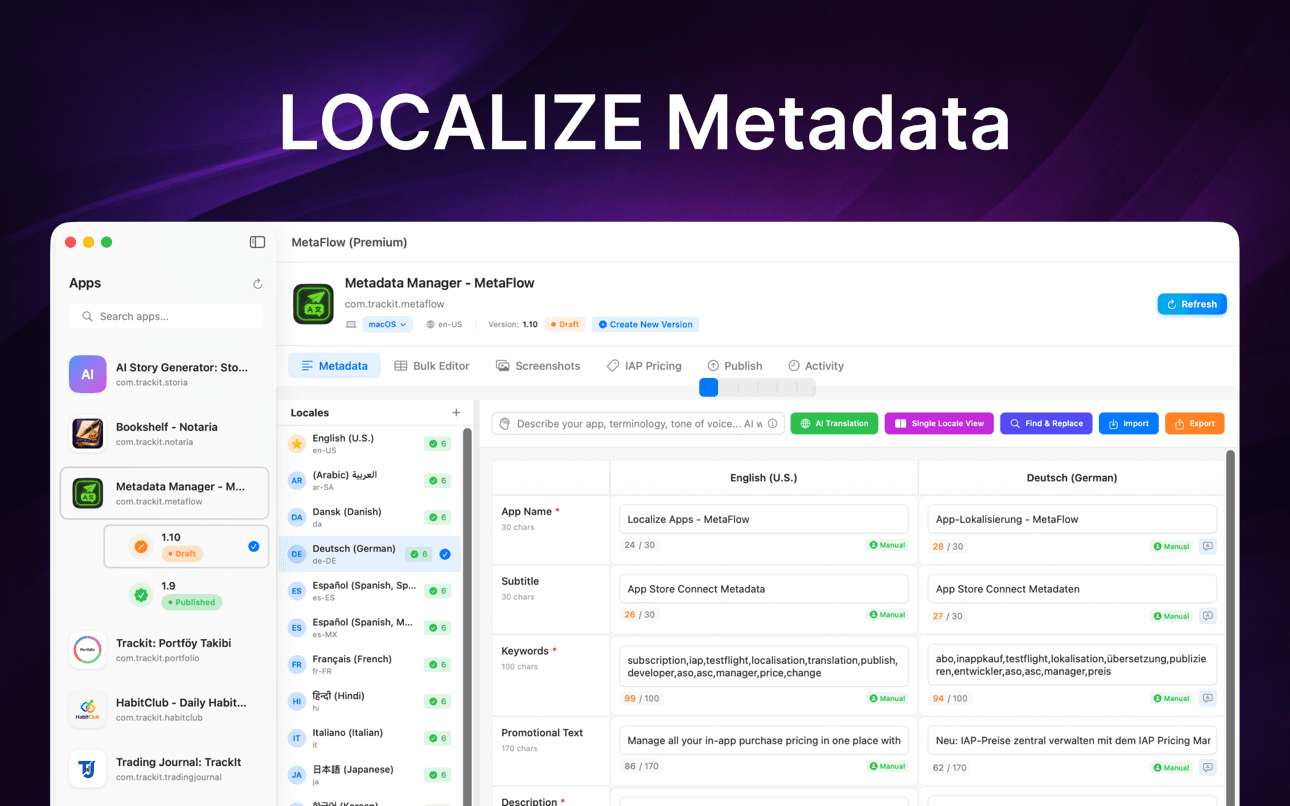
Edit names, subtitles, keywords, and descriptions natively, or translate them to 30+ languages with OpenAI, Google Gemini, or DeepL — with human-in-the-loop review before anything ships.
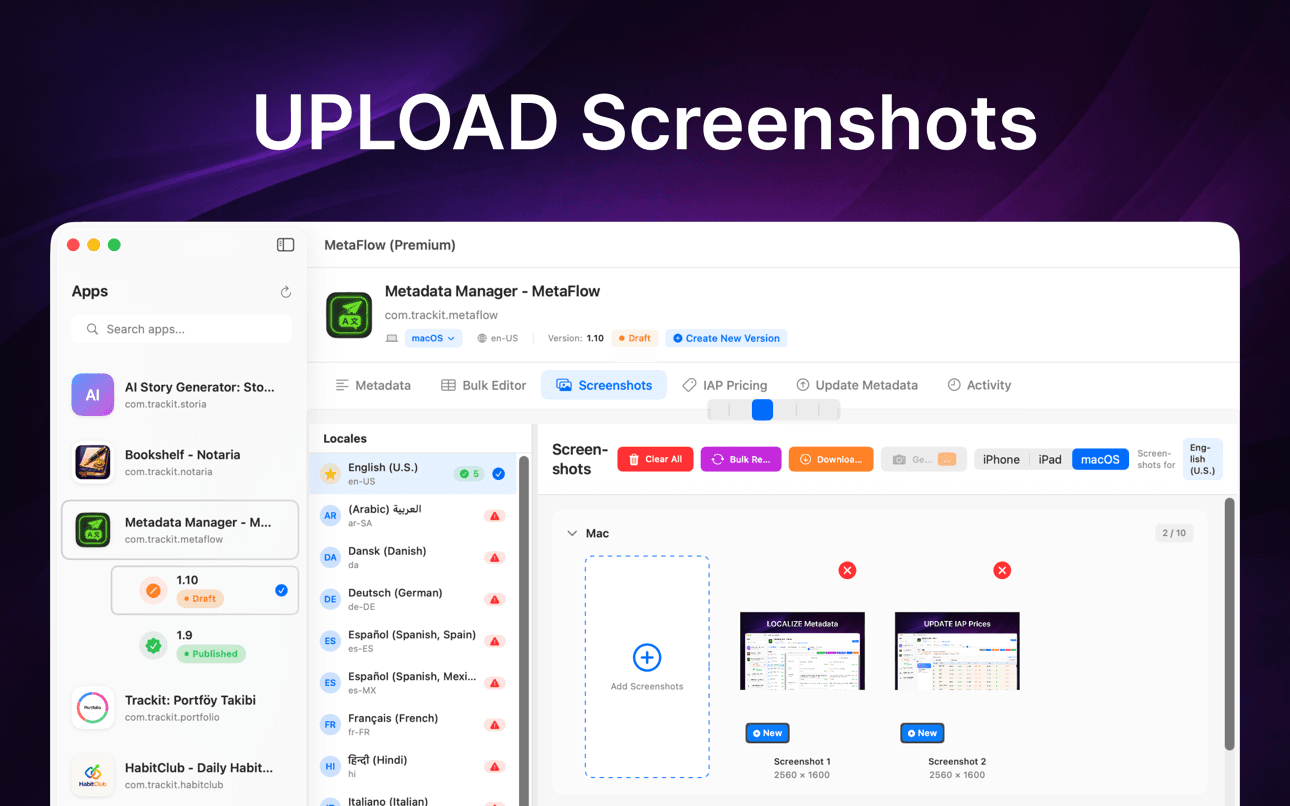
Drag and drop screenshots, auto-categorize by device group, apply Apple's inheritance rules, and download existing screenshots from every locale in one place.
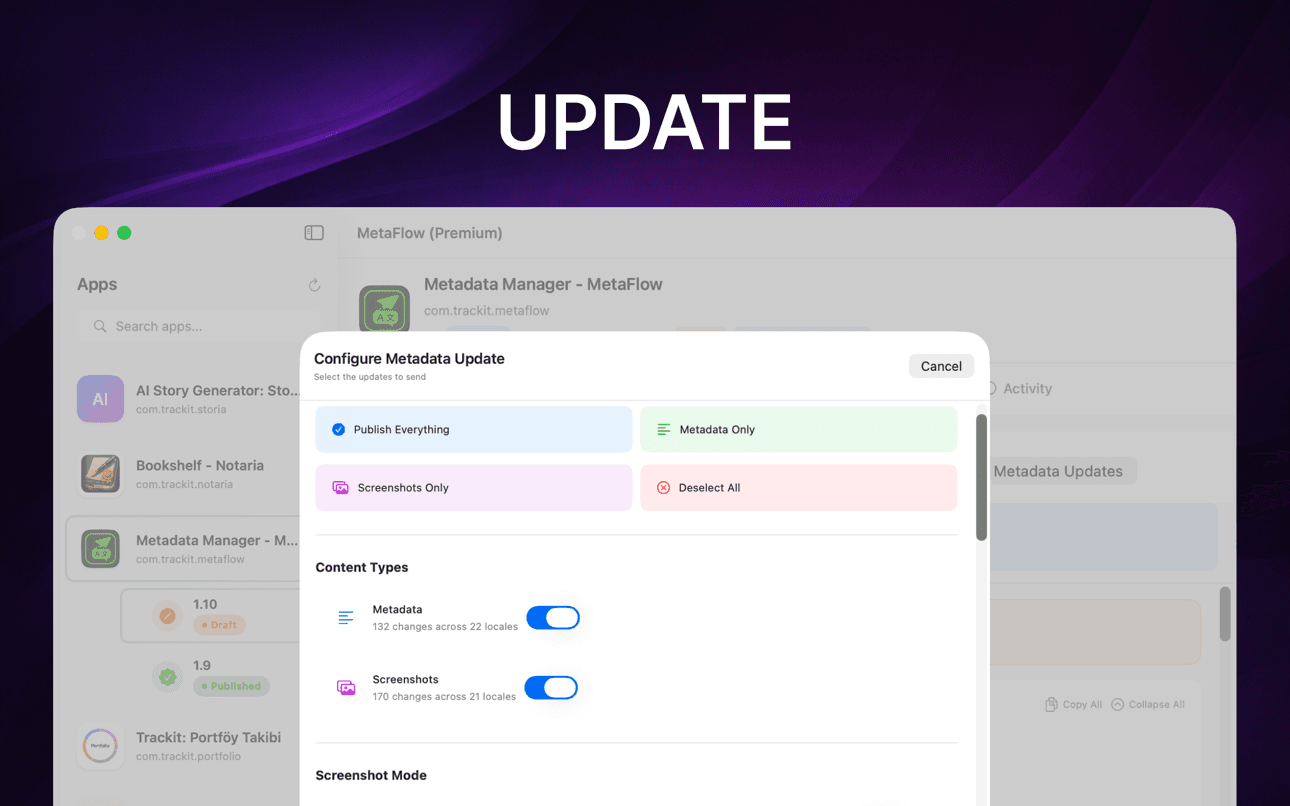
Run pre-flight validation and a dry-run preview, then publish metadata, screenshots, and pricing through the App Store Connect API with per-locale status tracking.
ماذا يساعدك فيه
MetaFlow هو مدير البيانات الوصفية ولقطات الشاشة الحديث والمدعوم بالذكاء الاصطناعي للمطورين المستقلين ومبرمجي Vibe.
ترجمة البيانات الوصفية إلى أكثر من 30 لغة باستخدام OpenAI أو Google Gemini أو DeepL.
تعديل اللغات في جدول شبيه بجدول البيانات مع عمليات الدفعة والتحقق.
التعامل مع لقطات شاشة iPhone و iPad و Mac بتنظيم السحب والإفلات.
معاينة التغييرات، التحقق من الحقول، والنشر عبر واجهات برمجة تطبيقات App Store Connect.
التنقل عبر الترجمة، لقطات الشاشة، التحقق، والنشر في سير عمل Mac أصلي ومركّز.
الحفاظ على المراجعة البشرية أثناء قيام الذكاء الاصطناعي بمعالجة أعمال الترجمة المتكررة.
Guides
Practical, developer-focused walkthroughs for localizing, translating, and shipping App Store metadata.
Localize your App Store name, subtitle, description, and keywords the right way — fields, character limits, market picks, and a faster way to ship it.
Read guideHow to translate an App Store description with OpenAI, Gemini, or DeepL — context prompts, character limits, review workflow, and publishing to ASC.
Read guideStop uploading screenshots locale by locale. Apple's inheritance rules, Media Manager limits, and how to bulk-upload every language from your Mac.
Read guidefastlane deliver is powerful but high-maintenance. Compare GUI alternatives for App Store Connect metadata, screenshots, and publishing on macOS.
Read guideGenerate an App Store Connect API key in minutes: request access, pick the right role, download the .p8, find your Issuer ID, and keep it secure.
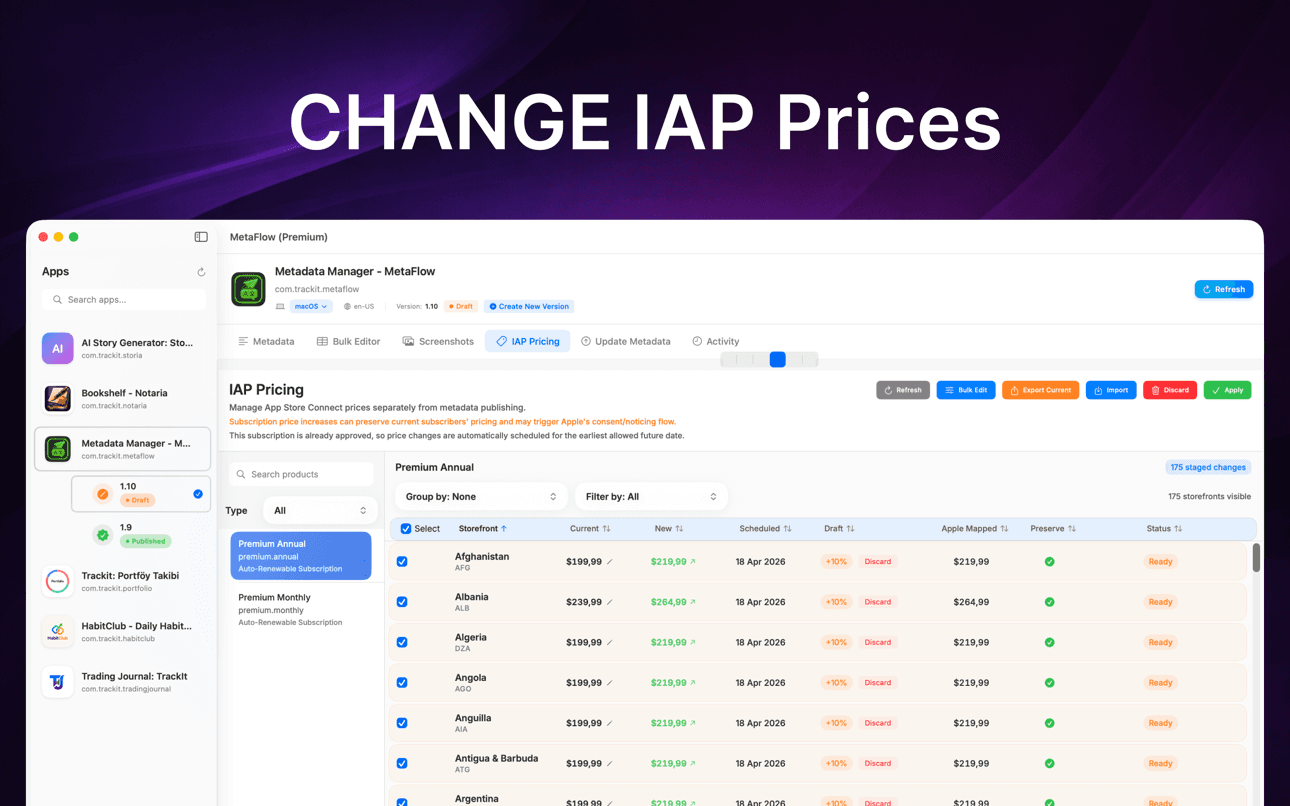
Read guideChange IAP and subscription prices in App Store Connect: price tiers, scheduled changes, preserving existing subscribers, and bulk regional updates.
Read guideلماذا هو مهم
تم تصميم MetaFlow للفرق والمطورين المستقلين الذين يديرون العديد من اللغات، لقطات الشاشة، الأسعار، والإصدارات.
تبقى بياناتك الوصفية، لقطات الشاشة، بيانات الاعتماد، ومفاتيح المزود على جهاز Mac الخاص بك ما لم تختر النشر أو الترجمة عبر الخدمات المتصلة.
ترجمة وتحديث بيانات التطبيقات
MetaFlow هو مدير البيانات الوصفية ولقطات الشاشة الحديث والمدعوم بالذكاء الاصطناعي للمطورين المستقلين ومبرمجي Vibe. قل وداعًا للنماذج الويب المملة ومرحبًا بتطبيق Mac سريع وأصلي يوفر عليك ساعات في تعريب التطبيقات ونشرها.
ترجمة البيانات الوصفية إلى أكثر من 30 لغة في دقائق. اختر من OpenAI أو Google Gemini أو DeepL. أضف مفتاح API الخاص بك وابدأ. الترجمات الواعية بالسياق تفهم تطبيقك مع إبقائك متحكمًا بسير عمل يدمج التدخل البشري.
عدّل اللغات في عرض جدول شبيه ببرنامج جداول البيانات. انسخ من اللغة الأساسية إلى أي لغة، قم بالتصفية حسب المحتوى المفقود أو حدود الأحرف، واستخدم التحرير المباشر مع التحقق في الوقت الفعلي. ابحث وحدد لغات متعددة لعمليات الدفعة.
دعم لأجهزة Apple: iPhone، iPad، Mac. إضافة بالسحب والإفلات، تصنيف تلقائي حسب مجموعة الجهاز، الاستفادة من قواعد وراثة لقطات الشاشة من Apple، وتنزيل لقطات الشاشة الموجودة من App Store Connect.
FAQ
MetaFlow supports OpenAI, Google Gemini, and DeepL. You pick the provider per project, and context-aware prompts give the model your app's terminology and tone so translations read naturally rather than literally.
Yes. MetaFlow uses a bring-your-own-key model: you add your own OpenAI, Gemini, or DeepL API key, and translations run through your account. That keeps you in control of cost and usage, and AI translation is optional — you can edit and publish metadata without ever adding a key.
Your App Store Connect API key and provider keys are stored in the macOS Keychain and never leave your Mac. MetaFlow is local-first with no cloud sync, so your credentials and metadata stay on your machine unless you choose to publish or translate.
MetaFlow edits the localized fields App Store Connect exposes — app name, subtitle, keywords, promotional text, description, and release notes — with live character counters and validation for each field so you never exceed Apple's limits.
Yes. You can drag and drop screenshots per device and locale using Apple's inheritance rules, and update in-app purchase and subscription prices in bulk by percentage, tier, or manual value — including scheduled changes and preserving prices for existing subscribers.
MetaFlow is free to download from the Mac App Store. It requires macOS 14.0 or later and an App Store Connect account with API access. AI translation providers bill through your own API key.
MetaFlow runs pre-flight validation and a dry-run preview that shows exactly what will change, then publishes through the App Store Connect API with detailed, per-locale status tracking. Version-aware editing handles Draft and Published states so you always know what is going live.
ابدأ الآن
MetaFlow هو مدير البيانات الوصفية ولقطات الشاشة الحديث والمدعوم بالذكاء الاصطناعي للمطورين المستقلين ومبرمجي Vibe.